
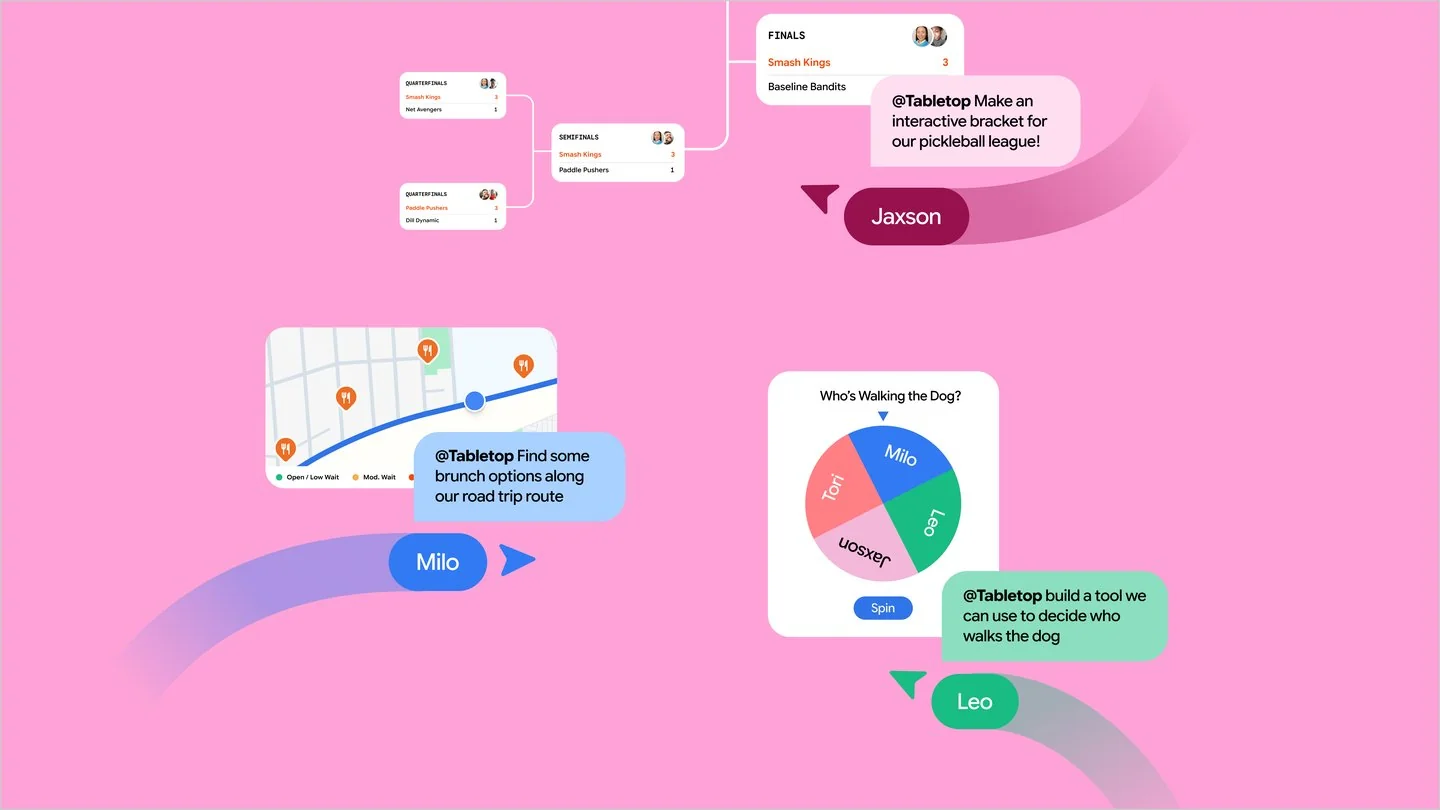
Google Tabletop is a Google Labs experiment for shared, interactive planning spaces. It brings the group into the same workspace, with prompts used to build things people can work on together. Its announced waitlist is limited to US adults.
Google Labs introduced Tabletop on 11 November as an experiment for real-time collaboration. Google describes adding links, files and ideas, then generating interactive spaces through prompts or templates. Its examples include itineraries, polls, expense splitters and tournament brackets. The announced rollout is a US waitlist for adults aged 18 and over.
Who can try Google Tabletop?
The launch announcement specifies a waitlist for US users aged 18 and over. Joining a waitlist is not immediate product access, and the announcement does not establish general availability in the UK. Use Google’s Tabletop entry point for current access information.
A possible creative planning exercise
A small location shoot offers a useful way to think about the format. Imagine a shared space containing candidate locations, reference images, travel constraints and a crew availability poll. Each person could inspect the same options before agreeing on a plan.
That is an evaluation scenario, not a claim that Tabletop includes a dedicated shoot-planning template. It gives a team something concrete to assess if they gain access: can the space represent their decisions clearly enough to use?
Turn a loose shoot idea into a decision sheet
For a location shoot, separate the space into three kinds of information: references, constraints and decisions. References explain the look. Constraints cover things such as travel, crew availability and permissions. Decisions record which location and schedule the organiser has approved.
Our shared shoot-planning sheet gives each option a source, an owner, a status and a date checked. You can use the structure in a spreadsheet today or adapt it to a collaborative space later.
Planning brief:
Compare these location options using the supplied references.
Keep proposed, preferred and confirmed options separate.
For every choice, show the source, decision owner and open question.
Do not treat an itinerary as a reservation or permission.
Finish with the decisions the organiser still needs to make.
Separate options from commitments
In a planning space, “suggested location”, “preferred location” and “booked location” need different meanings. Otherwise a generated itinerary can look settled while important permissions or availability checks remain unresolved.
Use explicit labels and name the person responsible for each decision. Include the date an option was last checked. If a venue detail comes from an external page, keep the link beside it so someone can confirm the information before making arrangements.
Try the plan with another person
A useful trial should involve at least one collaborator. Ask them to find the current plan, change an option and explain what is still undecided. Then check whether the organiser can identify the change and preserve the decisions already made.
For a creative team, the question is whether the shared space makes coordination easier to follow. Attractive generated content is only one part of that. A plan earns trust when the people using it can tell what has been proposed, what has been agreed and who needs to act next.
A shared space needs an exit
Before a group commits to a new planning tool, decide how the final plan will be delivered. The crew may need an accessible document on the day, even if the exploratory workspace is interactive. Check what can be exported or copied, who owns the final version and what happens if someone cannot join the experiment.
This is why a small planning exercise is valuable. It tests the collaboration and handoff, rather than only whether an AI can generate a convincing-looking plan.