
Physical AI in the Workplace: The Rise of Desktop Robots
Estimated reading time: 7 minutes
- Transition from passive screen-based AI to active physical assistants known as “deskbots.”
- The role of multimodal interaction models in allowing robots to perceive social and environmental cues.
- How open-source robotics and private AI infrastructure are democratizing and securing office automation.
- The shift toward “ambient intelligence” where the entire office environment functions as a tactile interface.
- From Chatbots to Deskbots: The New Hardware Frontier
- Hugging Face and the Reachy Mini Revolution
- Multimodal Interaction Models: The Brains Behind the Body
- Redefining the Corporate Nervous System
- Governance and the Privacy Challenge of Office Robots
- The Interface You Are Inside Of
- Preparing Your Organization for Physical AI
- Conclusion: The Desktop of 2026 and Beyond
The era of interacting with artificial intelligence solely through a browser tab is ending. We are witnessing a fundamental shift where digital intelligence gains a physical presence on our desks. This transition represents the emergence of physical AI in the workplace, moving technology from a passive tool to an active participant. Instead of just generating text, new AI systems are now perceiving our environment and reacting to physical cues in real time.
This evolution is not just about novelty. It represents a significant change in how we manage knowledge work and office collaboration. Major hardware players and research labs are currently developing devices that bridge the gap between software and the physical world. These “deskbots” and interactive assistants promise to handle our schedules, participate in meetings, and manage workflows without requiring a keyboard.
From Chatbots to Deskbots: The New Hardware Frontier
For the past few years, our primary experience with AI has been through chat interfaces. We type a prompt and wait for a static response. However, the next generation of office technology integrates AI directly into the physical environment. For instance, Lenovo recently showcased its “AI Workmate” prototype, which features an articulating camera arm and a built-in projector.
This device does not just sit on a desk. It actively follows the user’s movements and can project documents or slides onto any nearby surface. Consequently, the AI becomes a spatial tool rather than a screen-based one. By using physical AI in the workplace, companies can turn entire rooms into interactive displays. This removes the friction of toggling between windows or searching for cables during a presentation.
Furthermore, these devices utilize advanced computer vision to understand what is happening in the room. They can recognize when a meeting starts or when a specific document is placed on the table. As a result, the AI can proactively offer help without waiting for a specific command. This level of environmental awareness marks the beginning of a truly proactive digital employee.
Hugging Face and the Reachy Mini Revolution
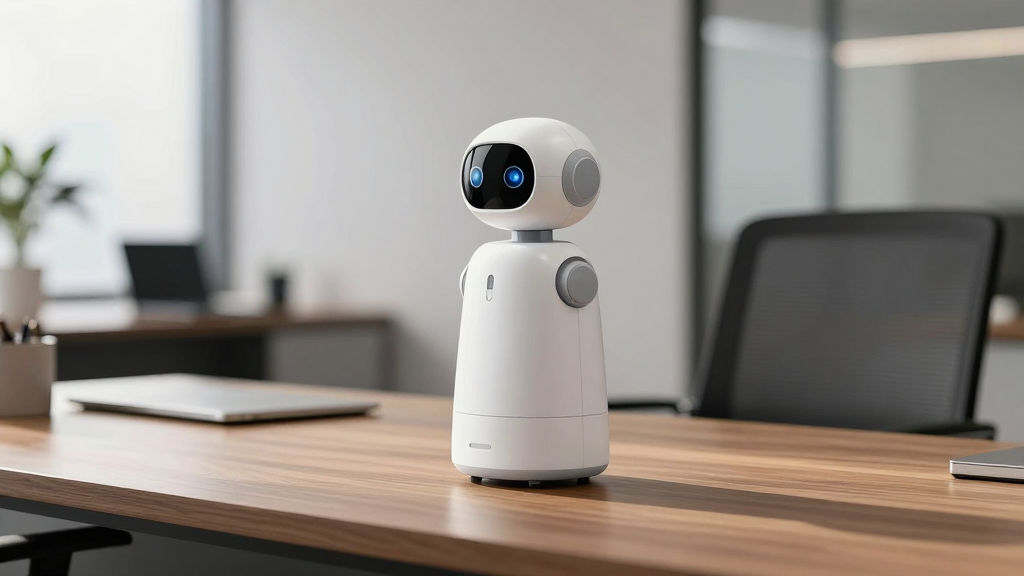
The push for physical AI is not limited to large hardware corporations. The open-source community is also making massive strides in desktop robotics. Hugging Face has introduced the Reachy Mini, a desktop-sized companion designed for real-time interaction. This robot features a motorized head, high-definition cameras, and sensitive microphones.
Unlike industrial robots, the Reachy Mini is built specifically for human-centric environments. It uses complex private AI agents to interpret social cues, such as nodding or eye contact. Because it is open-source, developers can customize its behavior for specific office needs. For example, a legal firm might program the robot to index physical case files as they are opened.
In addition, these smaller form factors make robotics accessible to standard office budgets. We are no longer talking about million-dollar factory arms. We are discussing relatively affordable desktop hardware that can be deployed across an entire department. Therefore, the democratization of physical AI is happening much faster than many experts originally predicted.
Multimodal Interaction Models: The Brains Behind the Body
A physical body is useless without a brain capable of processing the world in real time. This is where “multimodal interaction models” come into play. Traditional LLMs are often “turn-based,” meaning they process one input and then stop. However, research from groups like Thinking Machines Lab is shifting the focus toward continuous interaction.
These new models process audio, video, and text streams simultaneously. This allows the AI to perceive tone of voice, facial expressions, and physical gestures all at once. Consequently, the AI does not just hear what you say. It understands the context of your environment. This capability is essential for AI automation in complex, high-pressure office settings.
Moreover, these models operate with extremely low latency. To feel natural, a physical AI must respond within milliseconds. If a robot waits five seconds to acknowledge your question, the illusion of presence is broken. Recent breakthroughs in edge computing and model optimization are finally making these real-time responses a reality for enterprise users.
Redefining the Corporate Nervous System
When AI leaves the screen, it begins to function as a corporate nervous system. It connects your digital workspace—calendars, Slack, and CRMs—to your physical workspace. Imagine a deskbot that sees you are frustrated with a spreadsheet and automatically offers to run a macro. Or consider an AI that notices a meeting is running over and politely suggests an alternative time for your next call.
This level of integration requires a robust backend infrastructure. For many enterprises, this means moving away from public clouds and toward private AI infrastructure to ensure data security. After all, a physical AI is constantly “watching” and “listening” to everything in the office. Keeping that data local is a non-negotiable requirement for most Chief Information Officers.
Furthermore, these physical agents can act as the primary interface for complex software. Instead of learning a new project management tool, you simply tell your deskbot to update the team’s progress. The AI then handles the API calls and data entry behind the scenes. Consequently, the physical robot becomes the “face” of your entire digital stack.
Governance and the Privacy Challenge of Office Robots
The introduction of cameras and microphones that are “always on” raises significant privacy concerns. If an AI robot is watching the room, how is that data stored? Who has access to the logs of physical movements and private conversations? These are the questions that modern governance frameworks must address.
Enterprises must develop specific physical AI policies before deploying these devices at scale. For instance, companies should establish clear “no-recording” zones where robots are not permitted to operate. Additionally, every physical action taken by an AI should be logged in an auditable format. This ensures that if a robot makes an error or accesses sensitive data, the cause can be traced immediately.
In addition, consent is a major hurdle. Employees must feel comfortable working alongside devices that are constantly sensing their environment. Clear indicators, such as physical privacy shutters on cameras or “active” lights, are essential. Without these transparency measures, the adoption of physical AI in the workplace will likely face significant internal resistance.
The Interface You Are Inside Of
We are moving from an era where we “visit” an interface to an era where we “live inside” of one. When your desk, your projector, and your desktop robot are all powered by AI, the office itself becomes the computer. This shift reduces the mental load of managing technology. Instead of focusing on the tool, you focus on the task at hand.
For example, Lenovo’s prototype uses its projector to beam relevant data directly onto your work surface. If you are discussing a budget, the numbers appear on the table in front of you. You can move them around with your hands, and the AI camera tracks your movements to update the file. This creates a tactile, intuitive way to work that feels far more natural than using a mouse and keyboard.
Furthermore, this ambient intelligence helps maintain flow. Research shows that switching between different software applications is a major cause of cognitive fatigue. By consolidating these interactions into a single, physical AI assistant, workers can stay focused on their core responsibilities. As a result, productivity gains from physical AI could surpass those of traditional software-only automation.
Preparing Your Organization for Physical AI
Adopting physical AI is not as simple as buying a few robots and placing them on desks. It requires a strategic approach to both hardware and software integration. Companies should begin by identifying high-value use cases where physical presence actually adds value. Meeting rooms and executive offices are often the best starting points for pilot programs.
First, evaluate your current data infrastructure. Does your network have the bandwidth to handle continuous video and audio streams? Second, consider the security implications. Will these devices run on your main network, or will you isolate them for safety? Most experts recommend starting with a small, controlled group of users to test the interaction models before a full rollout.
Moreover, training is essential. Employees need to understand how to interact with physical agents effectively. This includes learning the boundaries of the AI’s capabilities and understanding how to override its actions if necessary. When employees feel in control of the technology, they are much more likely to embrace it as a partner rather than a threat.
Conclusion: The Desktop of 2026 and Beyond
The transition to physical AI in the workplace is inevitable. As hardware becomes more capable and interaction models become more sophisticated, the barrier between the digital and physical worlds will continue to dissolve. These desktop robots are not just gadgets; they are the next step in the evolution of enterprise automation.
By embracing these tools now, organizations can gain a significant competitive advantage. They can streamline workflows, improve collaboration, and create a more intuitive work environment for their teams. However, success requires a balance between technical innovation and thoughtful governance. We must ensure that as our offices become smarter, they also remain secure and human-centric.
The future of work is not just on your screen. It is sitting on your desk, watching, listening, and helping you build the next big thing. Subscribe for weekly AI insights to stay ahead of these rapidly evolving trends.
FAQ
- What is the difference between a chatbot and a deskbot?
- A chatbot is a text-based interface that operates within a browser or app. A deskbot is a physical hardware device, often with cameras and projectors, that uses AI to interact with the real-world environment and the user simultaneously.
- Are office robots safe for data privacy?
- Safety depends on the infrastructure. Using private AI infrastructure ensures that the audio and video data captured by the robot stays within the company network rather than being sent to a public cloud provider for processing.
- Will physical AI replace human office workers?
- Most experts believe physical AI will augment workers by handling “grunt work” like scheduling, data entry, and meeting summarization. This allows humans to focus on high-level strategy, creative problem-solving, and interpersonal relationships.
- What companies are leading the physical AI movement?
- Currently, Lenovo is a leader in prototype office hardware, while Hugging Face is driving open-source robotics. NVIDIA provides much of the underlying compute and simulation power needed to train these physical agents.
Sources
- AI robots want office jobs
- Why Microsoft AI chief Mustafa Suleyman predicts AI automation in 18 months
- When AI enters the physical world
- Most office jobs will be automated: Microsoft AI CEO warns white-collar workers
- Lenovo AI Workmate Concept Demo
- 9.3 million U.S. jobs at risk from AI automation
- AI is unlocking entry-level potential