
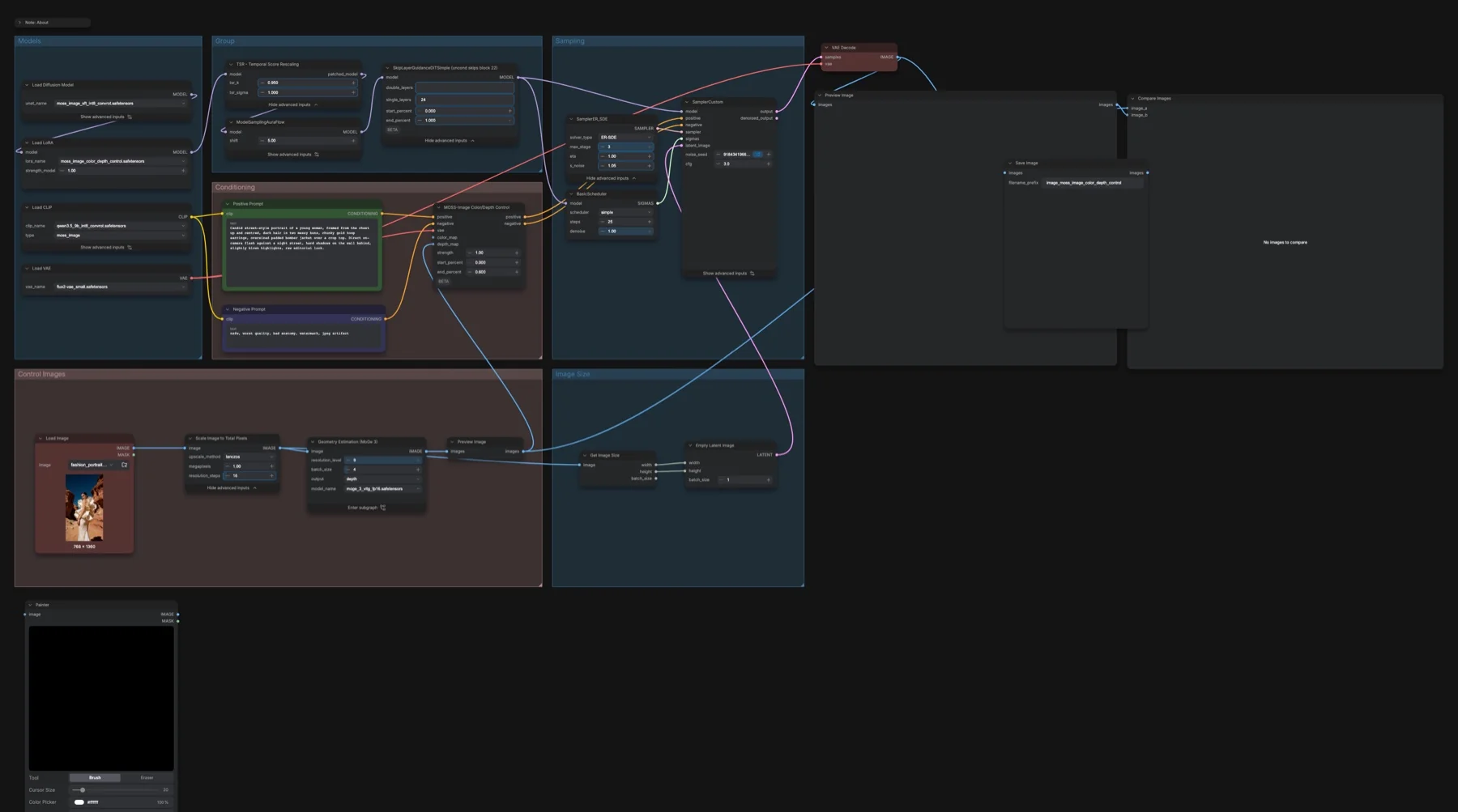
Short answer: Use MoGe geometry and the MOSS control adapter to guide an image from a reference photo. The listed files total about 18.22 GB on disk. The repositories list Apache-2.0 and MIT.
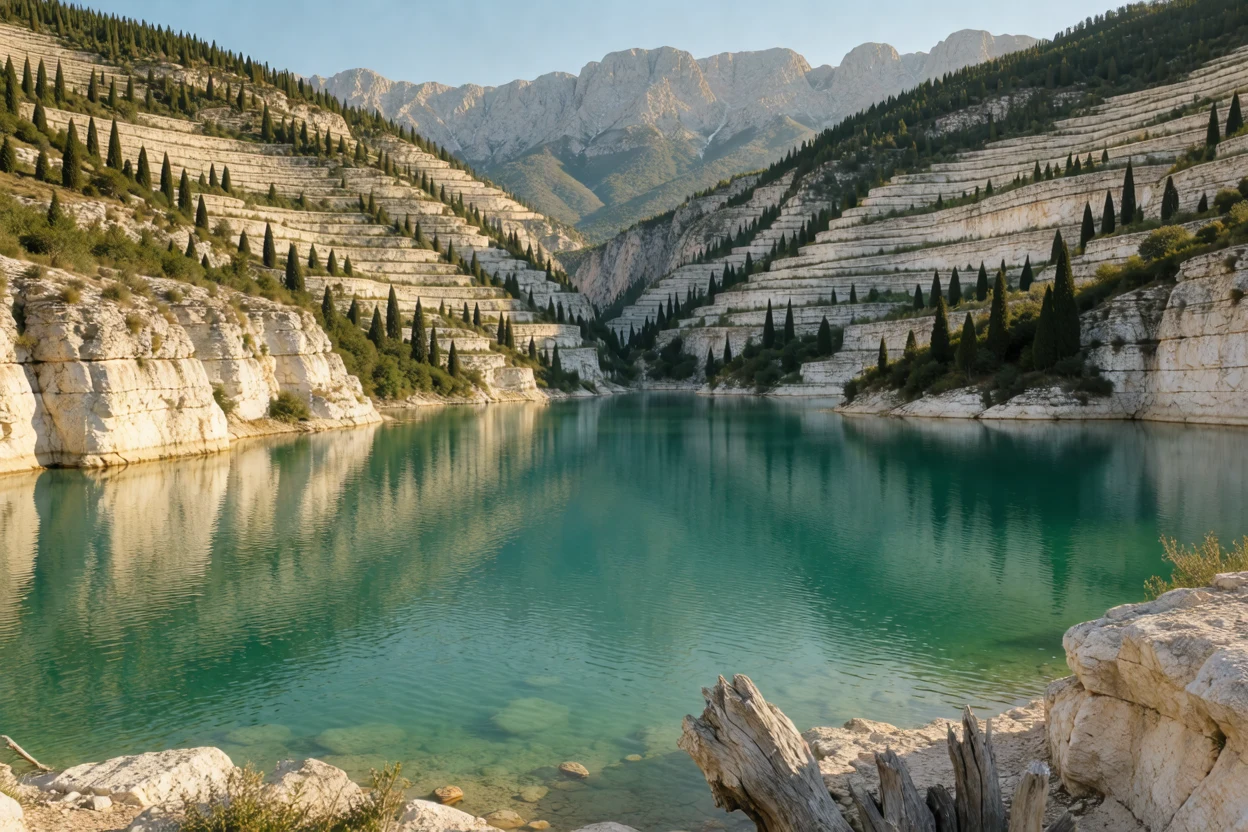
Output example
This workflow was run on a PC with an RTX 3090. We downloaded the saved output and inspected the image. It is one prompt and seed, not a general quality benchmark.
Input references
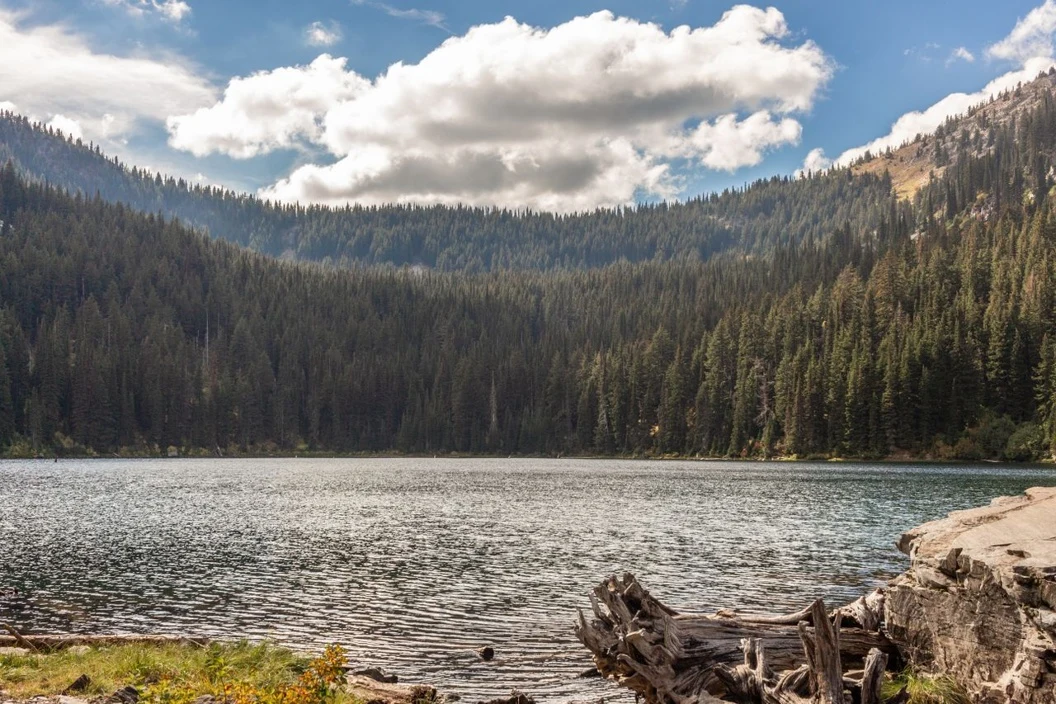
Clay Elliot · Source licence. Pillow proportional thumbnail to fit 1280x704, JPEG quality 95; upscale fixture fits 384x216, JPEG quality 80
Prompt used for this example
An architectural landscape photograph of a terraced white limestone canyon above a jade lake. Follow the depth reference mountain massing, valley opening, water plane and shoreline perspective. Replace forested slopes with pale layered stone terraces and sparse dark cypress trees. Warm side lighting reveals horizontal mineral bands and long shadows across the canyon. Clear turquoise reflections, believable geological scale, no people, buildings or lettering.Observed limits: Depth guides broad geometry, not exact source topology: distant ridges and shoreline details change. Optional color-map branch is unconnected and untested.
The featured image documents the workflow graph. The output example above comes from a separate completed run, with its recorded prompt and limitations.
Download and load the workflow
Drag the downloaded JSON file onto the ComfyUI canvas to load it.
Install the model files and any custom nodes listed below. If the workflow uses input images, video or audio, select your own files in the input nodes before running it.
Which files go where
Place each file under your ComfyUI directory in the folder shown. A text encoder turns the prompt into model conditioning. A VAE decodes the sampled representation into image or audio data. A LoRA is an adapter loaded alongside the base model.
| Part | File | Size | Folder |
|---|---|---|---|
| diffusion_models | moss_image_sft_int8_convrot.safetensors | 5.41 GB | models/diffusion_models |
| text_encoders | qwen3.5_9b_int8_convrot.safetensors | 9.75 GB | models/text_encoders |
| vae | flux2-vae_small.safetensors | 0.25 GB | models/vae |
| loras | moss_image_color_depth_control.safetensors | 0.31 GB | models/loras |
| geometry_estimation | moge_3_vitg_fp16.safetensors | 2.5 GB | models/geometry_estimation |
The listed files total about 18.22 GB on disk. Disk size is not a measured VRAM requirement. Reuse matching files already installed rather than downloading a second copy.
Settings in this workflow
| Control | Saved value |
|---|---|
| Steps / CFG | 25 / 3 |
| Sampler / scheduler | ER-SDE / simple |
| Flow shift | 5 |
| Control strength | 1.0 |
| Control interval | 0 to 0.6 |
| Control LoRA strength | 1.0 |
| MoGe render mode | mask |
| Reference scaling | 1 megapixel, 16-pixel alignment |
| Skip layer / score rescaling | 24 / 0.95 |
How to use it
- Load a reference photo. Image Scale to Total Pixels resizes it before geometry estimation.
- Keep the MoGe model selected. Its mask render feeds the control node’s depth_map input.
- Write the positive prompt for the subject, materials, setting and lighting. Keep the control LoRA loaded.
- Use the saved control interval first. Generate when ready and compare the decoded image with the geometry preview.
What to check before changing the graph
The saved MoGe render mode is mask, so it supplies a silhouette rather than a detailed depth render. The notes describe switching to depth with min_max normalisation for a more detailed geometry signal. The optional color_map socket is unconnected. Painter can supply a hand-painted map, but connect it explicitly and match the output dimensions. Without the control LoRA, the notes say the control node has no effect. Input-derived size connections override the Empty Latent node’s saved 1024 × 1024 fallback.
Licence
The repositories list Apache-2.0 and MIT. Read both licences and retain the required notices when distributing files or derivatives. See our model licence tracker for the wider collection.
Troubleshooting
| Problem | Likely cause | Fix |
|---|---|---|
| Missing nodes | Your installation differs from the captured environment | Update ComfyUI and reload the template before reconnecting nodes. |
| Model missing from a dropdown | File is in the wrong folder or the list is stale | Check the exact filename and folder above, then refresh the model list. |
| Unexpected output size or length | A connected input overrides an internal widget | Trace the size and duration connections from the outer graph. |
Where to go next
FAQ
Are these output examples?
The featured image shows the workflow graph. The Output example section shows the actual saved generation from a PC with an RTX 3090.
Can I change the saved settings?
Yes. Keep the documented configuration as a reference and change one control at a time. Samplers, adapters and noise schedules work together, so treat a replacement recipe as a separate configuration.
Sources
- Comfy-Org/MOSS-Image: model files and repository licence metadata.
- Comfy-Org/MoGe: model files and repository licence metadata.