
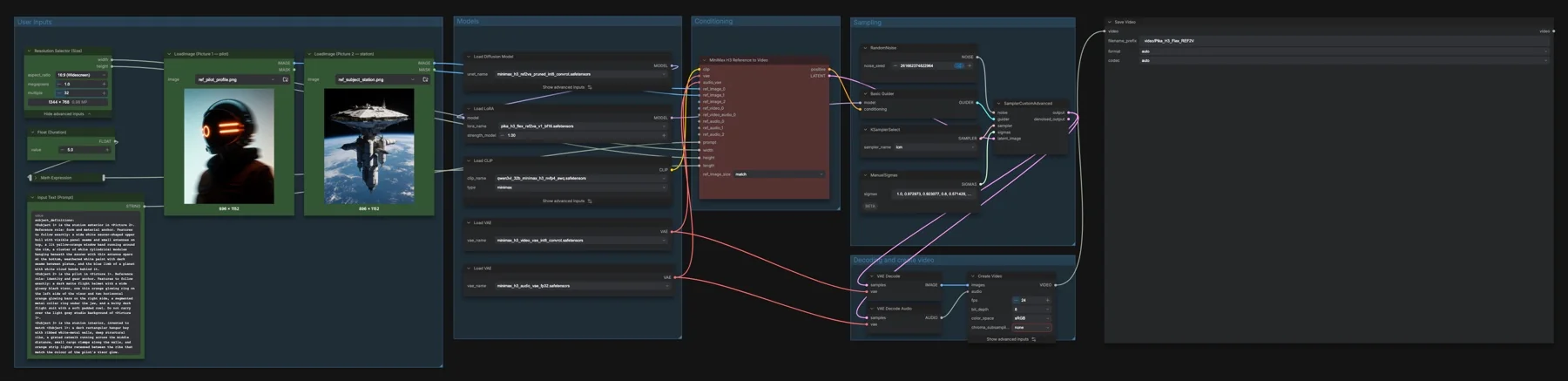
Short answer: Animate reference images with the MiniMax H3 reference checkpoint and Pika adapter. The listed files total about 42.04 GB on disk. The repositories list MiniMax H3 Community License Agreement.
Output example
This workflow was run on a PC with an RTX 3090 using a real adult man portrait and a separate lake photograph. The saved output completed successfully, decoded without errors and was inspected in sampled frames. This is one prompt and seed, not a general quality benchmark.
The saved video is 1344 × 768, 124 frames at 24 fps, approximately 5.17 seconds. The run used the saved LCM sampler, Pika reference LoRA strength 1.0 and manual sigma schedule, with seed 913554784044028. Audio checks confirm stream presence only; sound quality was not assessed by listening.
Input references
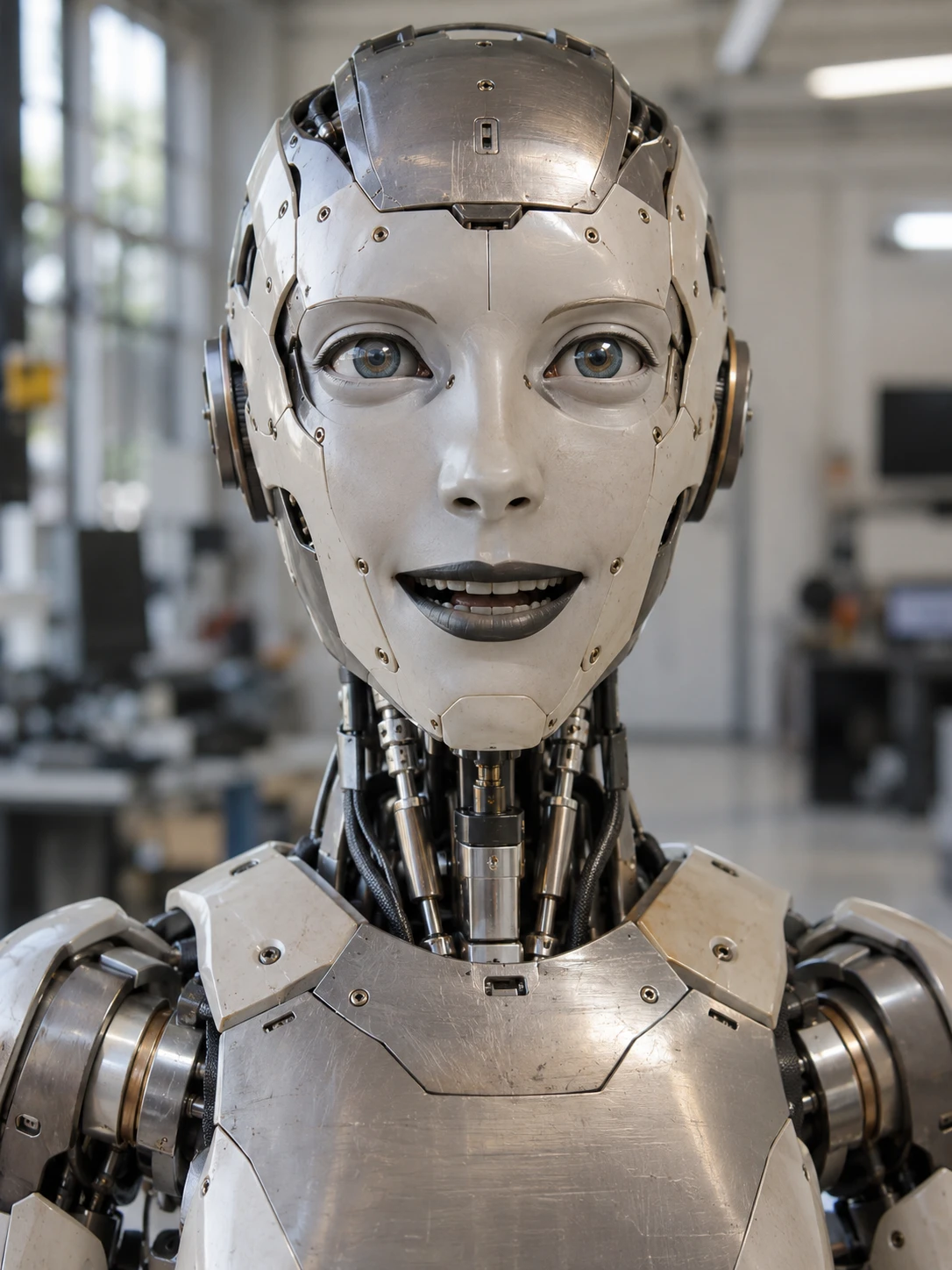
Photo by Cromwell Ken on Pexels · Source licence. Shared portrait crop at 720 × 1280, reused without further alteration; converted to WebP for this page.
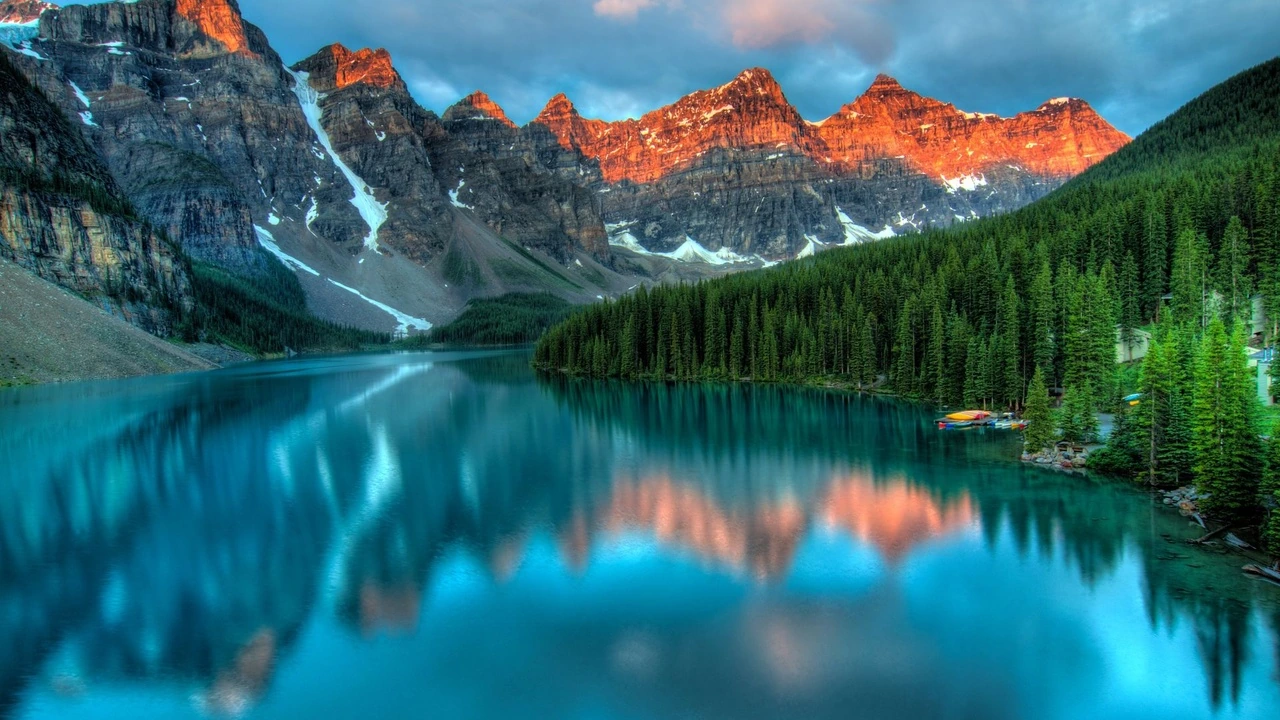
Photo by James Wheeler on Pexels · Source licence. Existing centered 16:9 crop, Lanczos resize to 1280 × 720 and JPEG quality 95; reused without alteration and converted to WebP for this page.
Prompt used for this example
subject_definitions:
<Subject 1> is the real adult man in <Picture 1>. Reference role: facial identity, age, skin texture, hair, beard and clothing. Preserve his weathered brown skin, forehead lines, short dark greying hair, salt-and-pepper beard and moustache, and beige polo shirt with orange collar and sleeve trim.
<Subject 2> is the alpine lake landscape in <Picture 2>. Reference role: environment, turquoise water, evergreen forest and warm orange light on rugged mountain peaks.

summary:
[reference generation] A photorealistic live-action shot of the man beside the alpine lake, turning his head slightly to admire the mountains, then returning a calm gaze toward the camera.

retention_analysis:
<Picture 1>: fully_preserved adult man's facial identity, natural wrinkles, beard, hair and polo shirt; original street background replaced by the lake environment.
<Picture 2>: partially_preserved lake, evergreen shoreline, mountain shapes and warm sunset palette; reframed behind the man.

detailed_description:
[Shot 1] Realistic location cinematography with natural facial pores, forehead creases, individual beard hairs and believable cloth texture. A waist-up view of <Subject 1> stands relaxed in the foreground beside <Subject 2>, with the turquoise lake and orange-lit peaks visible behind him. His shoulders remain still and his hands stay below the frame. He breathes gently, blinks naturally once, slowly turns his head a little toward the mountains to his left, then returns his eyes toward the camera with a small relaxed closed-mouth smile. Retain his age, facial proportions, moustache and salt-and-pepper beard throughout. Soft natural evening light falls across his face while matching the warm highlights of the mountain reference. The camera stays level and nearly stationary with only a very subtle slow push in. One continuous five-second shot, consistent identity, realistic human anatomy, no cuts, no additional people, no captions or added text. He does not speak. Photographic live action throughout, without illustration, animation, plastic skin or robotic features.

overall_soundscape:
Quiet outdoor air, soft breeze and gentle lake water. No speech.

non_diegetic_music:
N/A
Observed limits: One fixture does not exercise optional inputs or establish general reliability. The head turn is larger than requested and the background appears somewhat composited. Audio stream presence does not establish sound quality, speech accuracy or lip sync.
The featured image documents the workflow graph. The output example above comes from a separate completed run, with its recorded prompt and limitations.
Download and load the workflow
Drag the downloaded JSON file onto the ComfyUI canvas to load it.
Install the model files and any custom nodes listed below. If the workflow uses input images, video or audio, select your own files in the input nodes before running it.
Which files go where
Place each file under your ComfyUI directory in the folder shown. A text encoder turns the prompt into model conditioning. A VAE decodes the sampled representation into image or audio data. A LoRA is an adapter loaded alongside the base model.
| Part | File | Size | Folder |
|---|---|---|---|
| vae | minimax_h3_video_vae_int8_convrot.safetensors | 2.81 GB | models/vae |
| vae | minimax_h3_audio_vae_fp32.safetensors | 0.61 GB | models/vae |
| diffusion_models | minimax_h3_ref2va_pruned_int8_convrot.safetensors | 20.97 GB | models/diffusion_models |
| text_encoders | qwen3vl_32b_minimax_h3_nvfp4_awq.safetensors | 15.69 GB | models/text_encoders |
| loras | pika_h3_flex_ref2va_v1_bf16.safetensors | 1.96 GB | models/loras |
The listed files total about 42.04 GB on disk. Disk size is not a measured VRAM requirement. Reuse matching files already installed rather than downloading a second copy.
Settings in this workflow
| Control | Saved value |
|---|---|
| Sampler | lcm |
| LoRA strength | 1.0 |
| Duration | 5 seconds |
| Frame rate | 24 fps |
| Reference node dimensions | 1344 × 768 |
| Frame count | 124 |
| Reference sizing | match |
Saved sigma schedule: 1.0, 0.972973, 0.923077, 0.8, 0.571429, 0.333333, 0.0.
How to use it
- Load your two reference images into the Picture 1 and Picture 2 inputs.
- In the prompt, refer to each picture by its connection order, using <Picture 1> and <Picture 2>. Describe the action, camera and sound.
- Keep the reference-to-video checkpoint and matching Pika ref2va LoRA selected. Set the duration and output size.
- Generate when you are ready, then inspect the saved video and its audio.
What to check before changing the graph
The reference checkpoint and LoRA are a pair. The fl2va adapter from the text-to-video workflow is a different file. Keep the two image connections in the same order as the picture tags in your prompt. Use references you have permission to use, and obtain consent for a person’s likeness or voice.
Licence
The repositories list MiniMax H3 Community License Agreement. This is a community licence with conditions. Read the current terms before commercial use; a public download does not mean unrestricted use. See our model licence tracker for the wider collection.
Troubleshooting
| Problem | Likely cause | Fix |
|---|---|---|
| Missing nodes | Your installation differs from the captured environment | Update ComfyUI and reload the template before reconnecting nodes. |
| Model missing from a dropdown | File is in the wrong folder or the list is stale | Check the exact filename and folder above, then refresh the model list. |
| Unexpected output size or length | A connected input overrides an internal widget | Trace the size and duration connections from the outer graph. |
Where to go next
FAQ
Are these output examples?
The featured image shows the workflow graph. The Output example section shows the actual saved generation from a PC with an RTX 3090.
Can I change the saved settings?
Yes. Keep the documented configuration as a reference and change one control at a time. Samplers, adapters and noise schedules work together, so treat a replacement recipe as a separate configuration.
Sources
- Comfy-Org/MiniMax-H3: model files and repository licence metadata.