
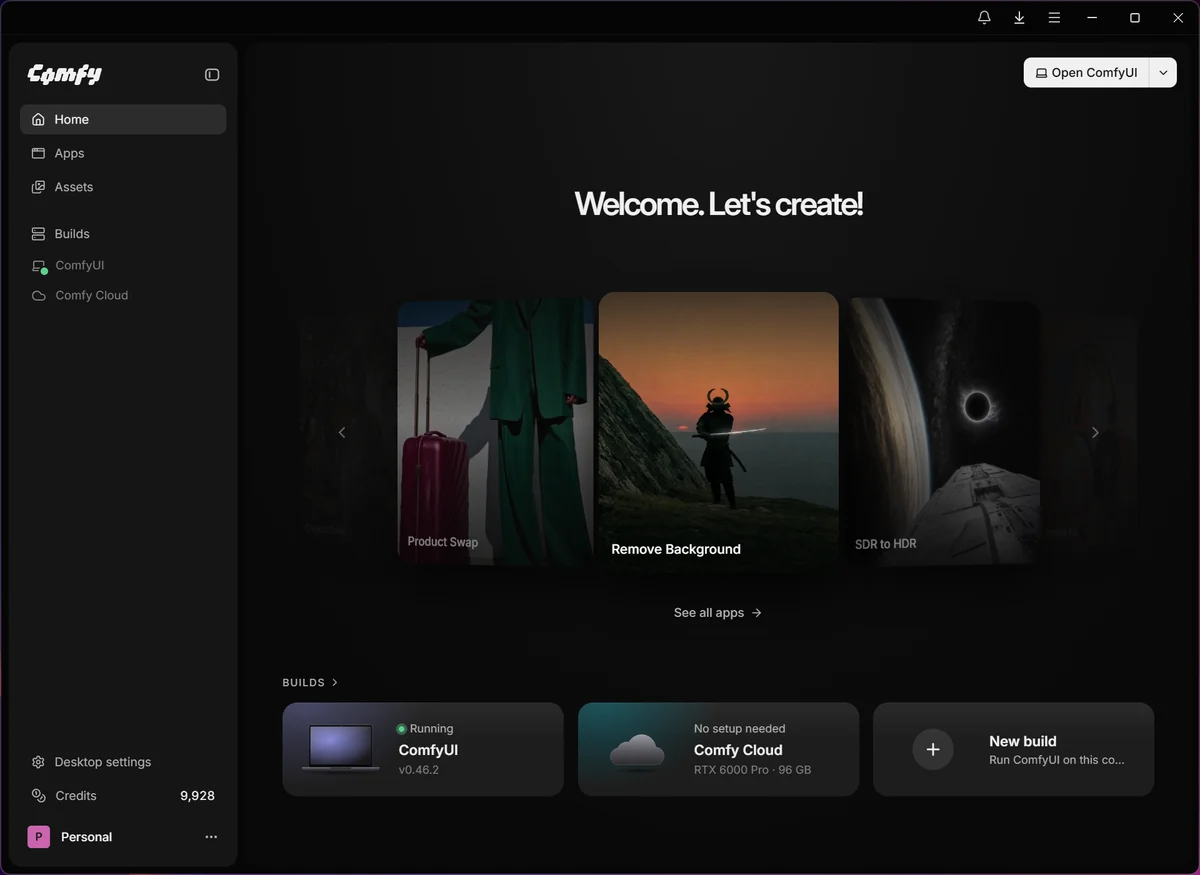
Comfy Desktop 1.2 turns Comfy’s desktop installer into a unified workspace for single-task Apps, multiple local ComfyUI builds and Comfy Cloud. Announced on 23 November in the ComfyUI Newsletter, the release introduces a dark interface, six built-in apps that hide the node graph until you want it, shared model folders across installs and automatic snapshots before updates.
For creators and small studios already running ComfyUI, the practical question is not whether the graph editor is going away—Comfy says it stays intact—but how Desktop 1.2 fits alongside portable or git installs and the Custom Builds update that landed in Comfy Cloud five days earlier. We have not run hands-on benchmarks of version 1.2; this guide synthesises Comfy’s primary announcements and documentation to help you plan a clean adoption.
Apps: single-task tools on top of the ComfyUI engine
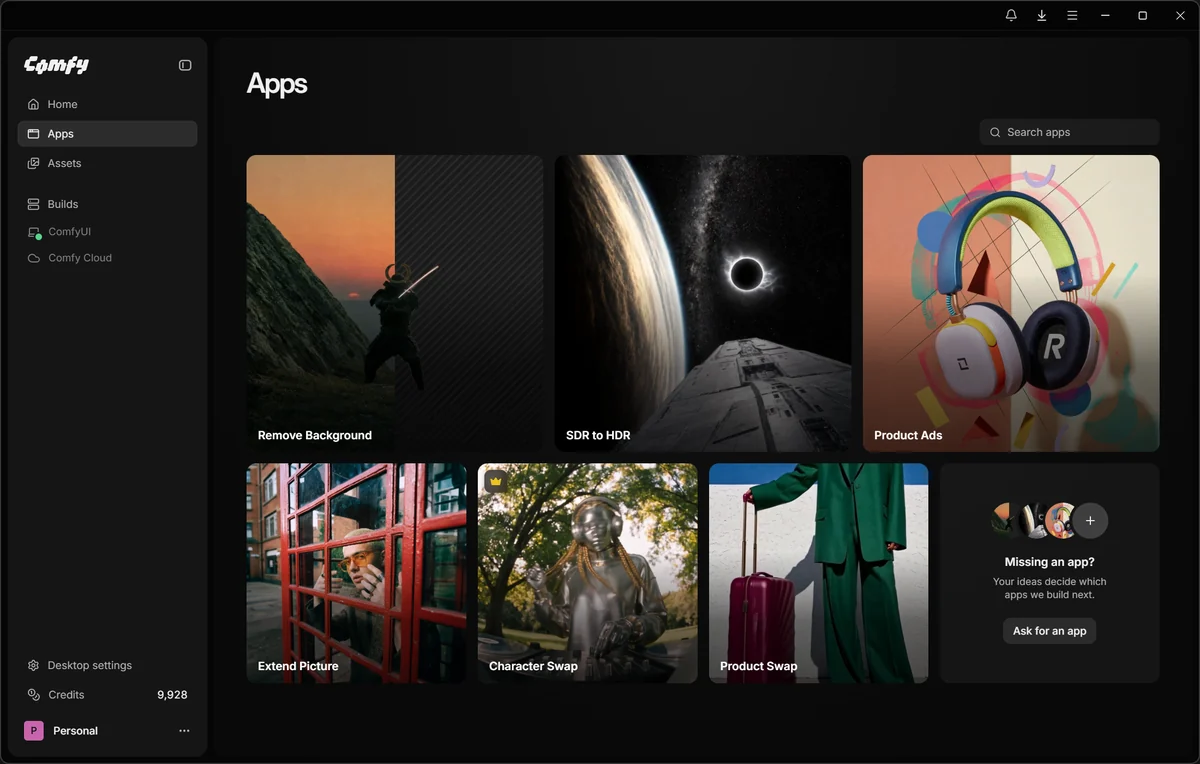
The headline addition in version 1.2 is native Apps. Rather than opening a node graph for routine edits, each app presents a focused form: drop in your input, press Run and collect the output while ComfyUI handles execution underneath. Comfy launches with six first-party apps and says user-published workspace apps are planned next:
- Remove Background: clean cut-outs from any image.
- SDR to HDR: bring standard dynamic range images into high dynamic range.
- Product Ads: turn a product shot into ad-ready visuals.
- Extend the Picture: outpaint beyond the original frame.
- Character Swap: replace a character in a scene.
- Product Swap: replace a product in a scene.
Two details matter for production teams. First, execution cost depends on the underlying model: Comfy states that apps built on open models are free to run locally on your GPU, whereas apps using partner models consume credits. Second, the graph is still inspectable—builders can open an app’s underlying workflow directly in ComfyUI’s graph editor when they need to customise a step.
Multi-build management, shared folders and safer updates
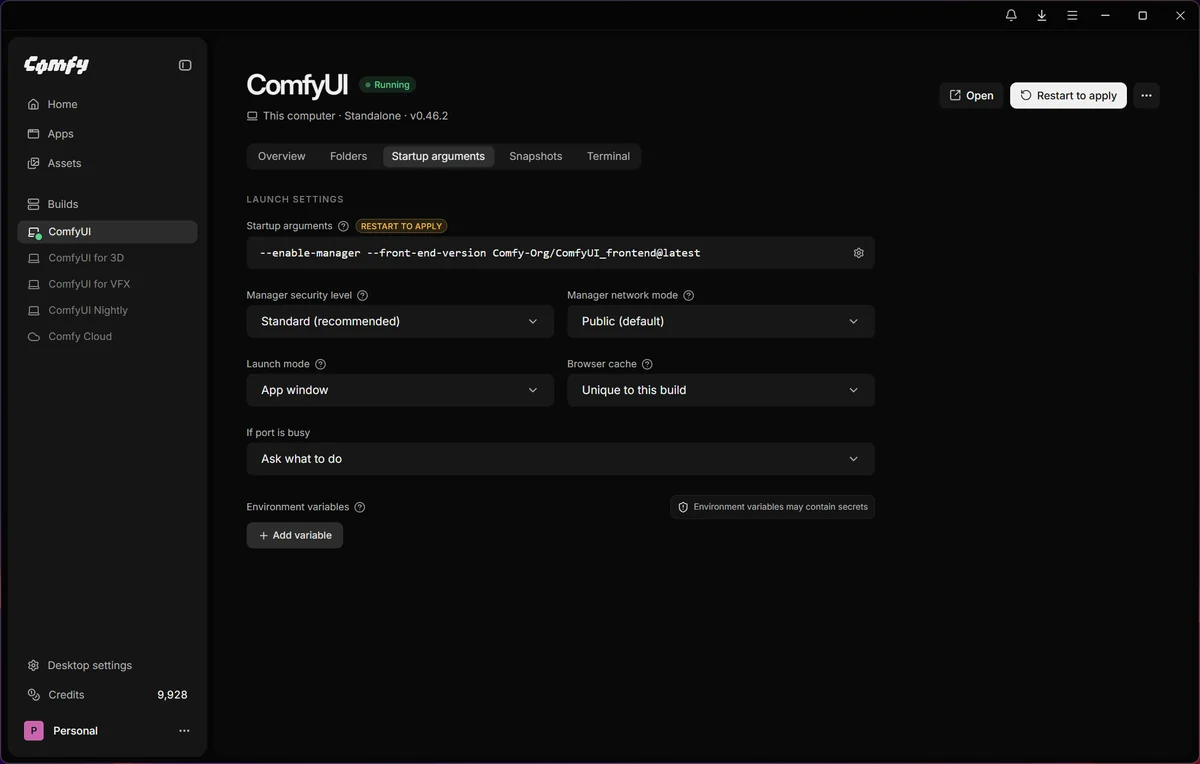
Maintaining ComfyUI locally has long meant juggling Python environments, copying checkpoints or hand-editing extra_model_paths.yaml. Comfy Desktop 1.2 consolidates those tasks into a dedicated Builds section with a per-build details page covering overview, folders, startup arguments, snapshots and terminal access.
According to Comfy’s announcement, Desktop 1.2 adds five core workflow improvements for local installs:
- One-click install: no terminal setup or manual Python dependency hunting across Windows, macOS and Linux (comfy.org/download, open source under GPL-3.0).
- Shared folders across builds: models, inputs and outputs can be shared automatically across multiple local builds without duplicating files or editing YAML paths by hand.
- Pre-update snapshots: Comfy Desktop takes a snapshot before every update so you can roll back if an upgrade breaks an active setup—a useful complement to the baseline checks in our ComfyUI workflow update checklist.
- Automatic template downloads: building on the October quality-of-life release (9 November), official templates in Comfy Desktop download their example inputs automatically and place required models straight into the right model folders, whereas portable and git installs still require moving browser-downloaded files by hand.
- Shared team builds: enterprise teams can download and install builds shared from Comfy Cloud so every artist runs the same environment.
How Desktop 1.2 connects to Comfy Cloud Custom Builds
Read alongside Comfy’s 18 November announcement, Your custom ComfyUI is now in Comfy Cloud, version 1.2 makes the broader direction clear. Comfy is treating local Desktop and Comfy Cloud as two sides of the same build pipeline rather than separate products.
On Comfy Cloud, every paid plan now supports Custom Builds—packaged sets of custom nodes (including private node packs), models, LoRAs and dependencies. Crucially, teams can package a Custom Build directly from a workflow or a Comfy Desktop snapshot on the Developer Platform, then run it on cloud GPUs ranging from RTX PRO 6000 (48 GB or 96 GB) up to H100, H200 and 180 GB B200 instances. Comfy lists per-second GPU billing while workers are active (from $1.75/hr to $11.23/hr depending on GPU), plus monthly network storage for team models.
Choosing between Desktop, Portable/Git and Cloud
If you already have a working ComfyUI setup, you do not need to migrate everything at once. Use the table below to match each installation route to the job in front of you.
| Setup option | Best fit | Main trade-off |
|---|---|---|
| Comfy Desktop 1.2 | Creators wanting one-click installs, built-in Apps, shared folders and automatic pre-update snapshots. | Opinionated wrapper; still verify custom-node compatibility before moving deadline work. |
| Portable or Git install | Developers modifying ComfyUI core, testing bespoke Python environments or running headless servers. | Manual model placement for templates and manual environment rollback. |
| Comfy Cloud + Custom Builds | Teams sharing one locked setup across artists, or bursts needing 48 GB–180 GB GPUs. | Paid subscription, per-second worker billing (including warm windows) and network storage fees. |
Plan your migration before switching builds
Before moving an active studio machine to Comfy Desktop 1.2, write down your current model folders, startup flags and critical custom-node versions, and decide which tasks belong in Apps versus dedicated builds (for example separating VFX or 3D node packs from a daily image build).
Download the Comfy Desktop 1.2 setup and migration plan. It is a plain Markdown checklist for mapping your folders, builds, snapshot routine and local-versus-cloud boundary before changing a working setup.
When to pair Desktop with Comfy Cloud
Comfy Desktop itself is free and open source; a paid subscription is not required to run open-weight workflows locally. When heavier jobs—such as multi-step video pipelines like our LTX-2.5 image-to-video guide—exceed local VRAM, or when multiple artists need identical nodes and models, you can explore Comfy Cloud and verify GPU rates, storage costs and custom-node support against your workload first.
More from Synthetic Labs
ComfyUI v0.45.4 workflow update checklist · FLUX 3 Klein image-edit workflow · MiniMax H3 text-to-image workflow