
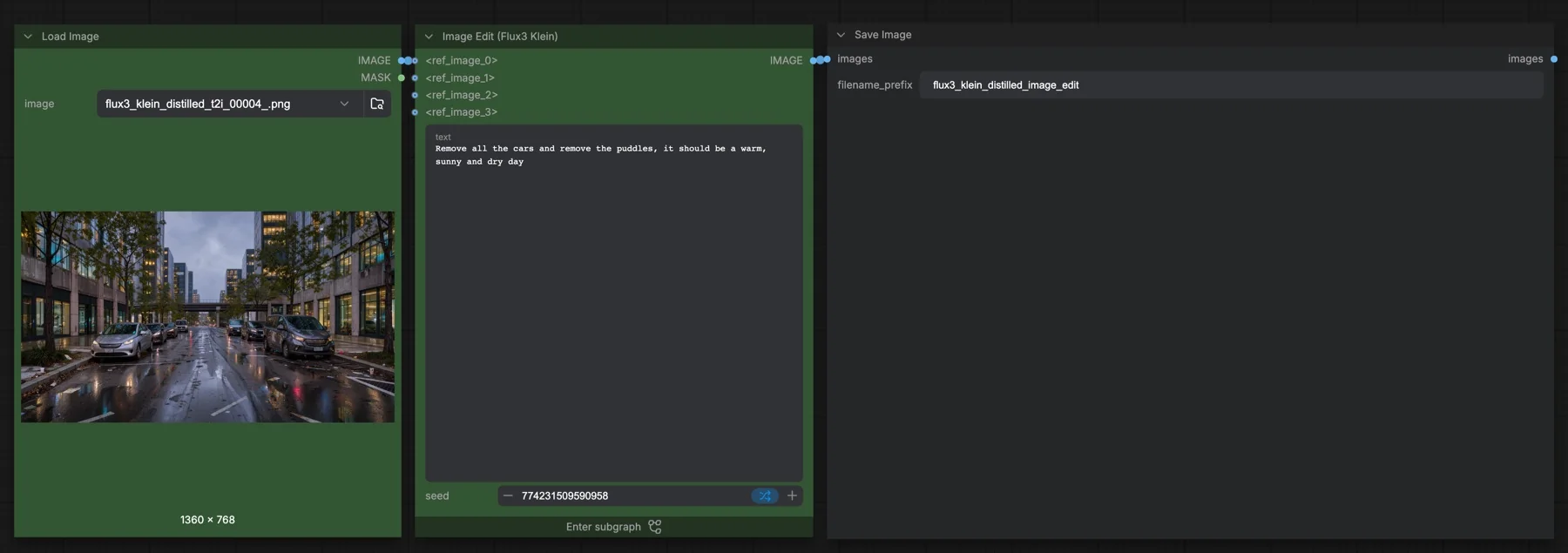
Short answer: this built-in ComfyUI template edits an image from a text instruction with the distilled FLUX 3 Image Klein model. The KSampler runs 16 steps at CFG 1 with euler and simple, and the reference image is scaled to about 1 megapixel. It loads three files from a gated Hugging Face repository, so we could not check their sizes without signing in. The repository lists the flux-kommunity-license, which has conditions.
Output example
This workflow was run on a PC with an RTX 3090. We downloaded the saved output and inspected the image. It is one prompt and seed, not a general quality benchmark.
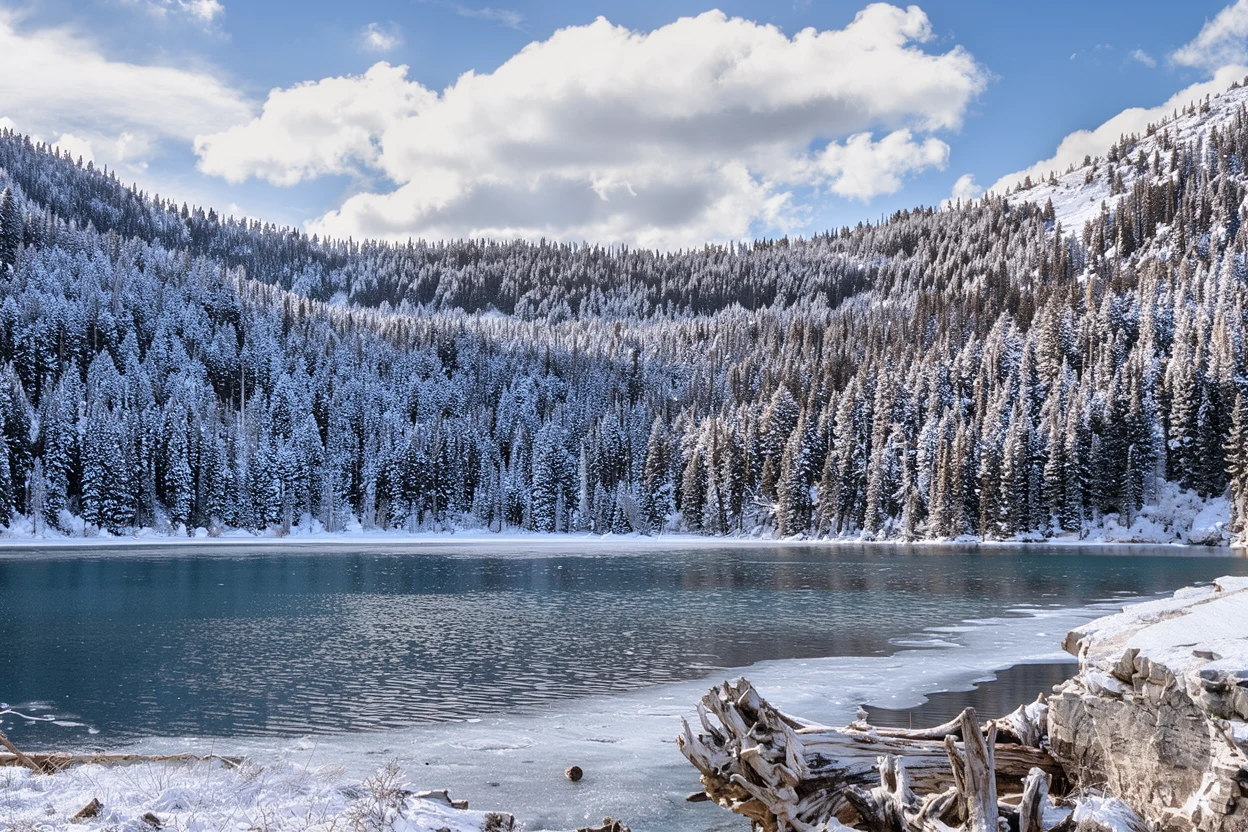
Input references
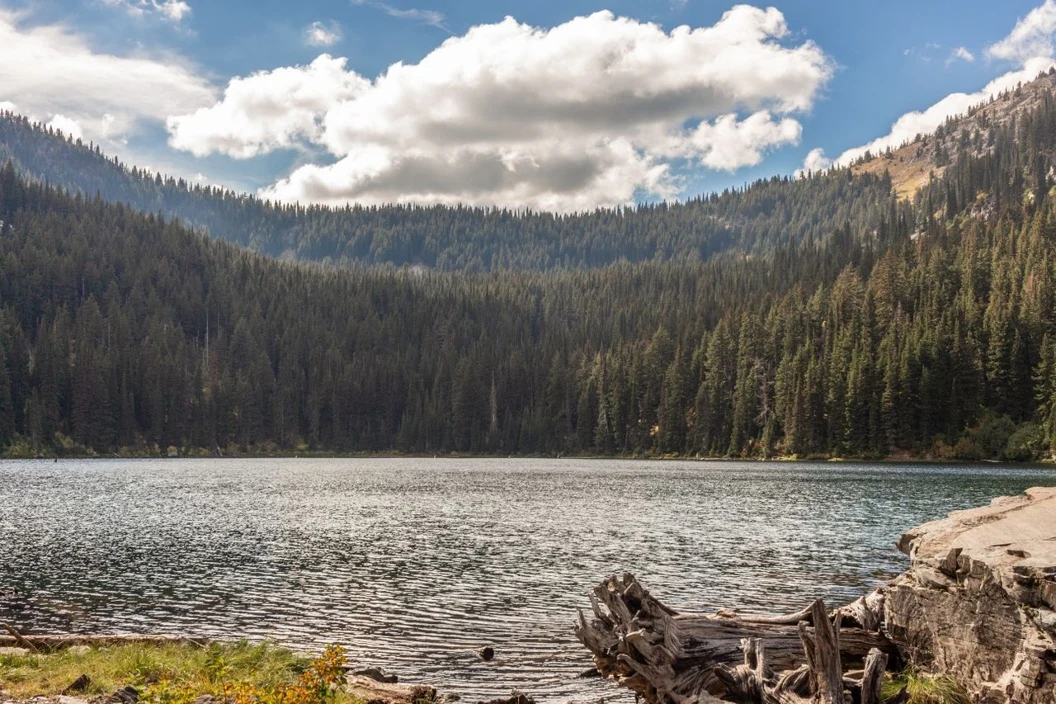
Clay Elliot · Source licence. Pillow proportional thumbnail to fit 1280x704, JPEG quality 95; upscale fixture fits 384x216, JPEG quality 80
Prompt used for this example
Transform the lake scene in <ref_image_0> from summer to winter: snow covers the mountain slopes and evergreen branches, thin ice forms along the shoreline, and the water becomes cold steel blue. Preserve the mountain silhouettes, shoreline geometry, camera position and reflections. Keep it a natural outdoor landscape photograph with crisp winter daylight and no added buildings or people.Observed limits: Fine vegetation and cloud detail are re-rendered rather than pixel-preserved.
Download and load the workflow
Drag the downloaded JSON file onto the ComfyUI canvas to load it.
Install the model files and any custom nodes listed below. If the workflow uses input images, video or audio, select your own files in the input nodes before running it.
Which files go where
| Part | File | Size | Folder |
|---|---|---|---|
| Diffusion model | flux3_image_klein_sd_int8_convrot.safetensors | Not checked | models/diffusion_models |
| Text encoder | qwen3vl_4b_int8_convrot.safetensors | Not checked | models/text_encoders |
| VAE | flux2-vae.safetensors | Not checked | models/vae |
These are the same model, text encoder and VAE as the text-to-image template, without the prompt upsampler. They come from black-forest-labs/flux-3-image-klein-comfy, which is gated: sign in to Hugging Face and accept the licence before you download. Until you do, the links return an access error, so we cannot give a total size. No custom node packs are needed.
Settings in this workflow
| Setting | Value |
|---|---|
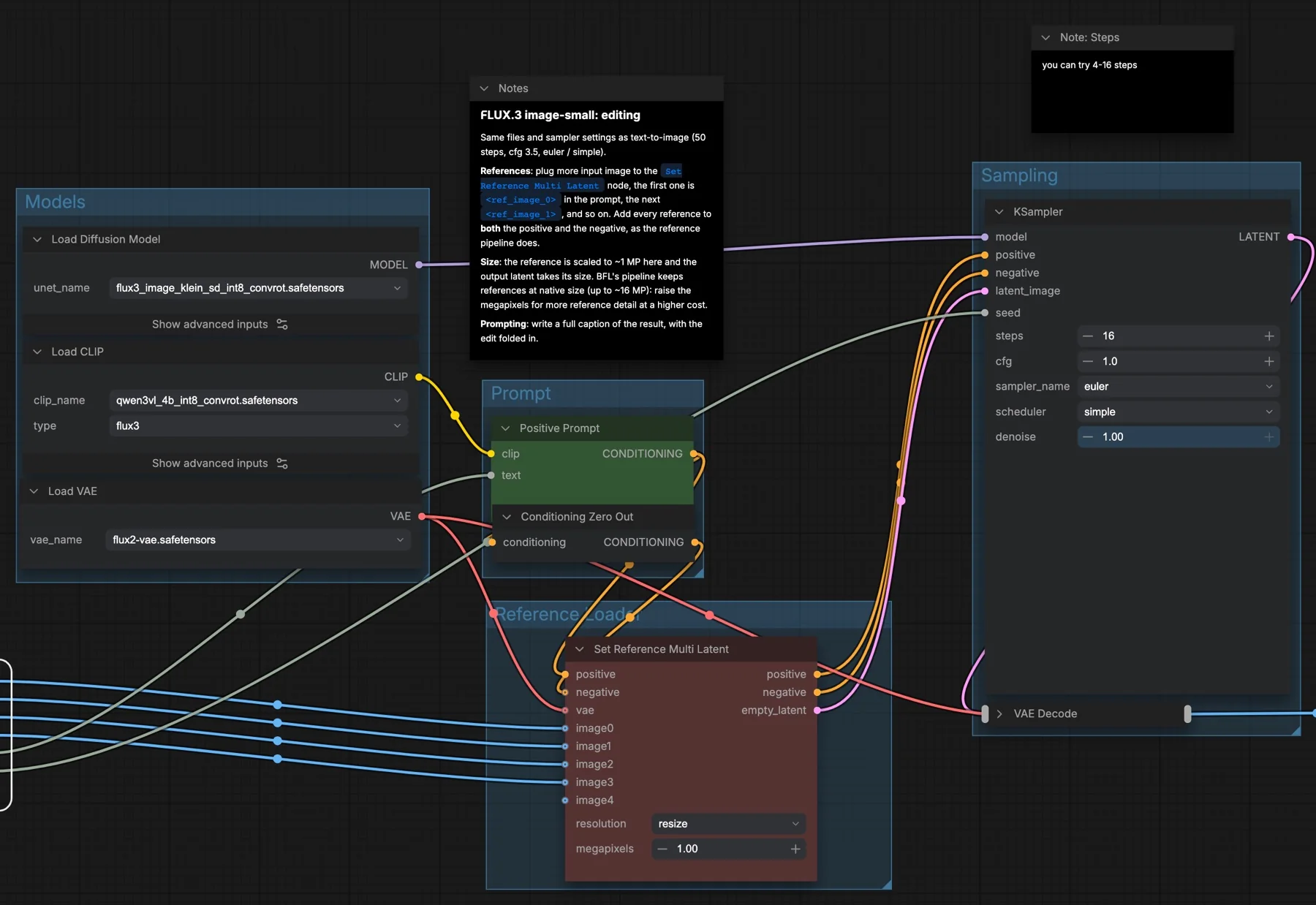
| Steps | 16 |
| CFG | 1 |
| Sampler and scheduler | euler, simple |
| Denoise | 1 |
| Reference resolution | resize at 1 megapixel |
| Output size | Taken from the scaled reference |
| Negative conditioning | Conditioning Zero Out (no negative text) |
CFG (classifier-free guidance) sets how strongly the prompt steers the result; at 1 it is effectively off. The longer note in the subgraph says to use the same settings as text to image, 50 steps and CFG 3.5. Those numbers do not match the nodes in this distilled workflow, which are set to 16 steps and CFG 1, and the step note beside the sampler says you can try 4 to 16 steps. Start from the node values.
How to use it
- Load your source image in Load Image. It feeds
<ref_image_0>. - Optionally connect up to three more images to
<ref_image_1>to<ref_image_3>. - Write the edit in the subgraph's text box.
- Set a seed and run the queue. Save Image uses the prefix
flux3_klein_distilled_image_edit.
References, size and prompting
The workflow notes give three tips:
- References: extra images go into Set Reference Multi Latent. The first is
<ref_image_0>in the prompt, the next<ref_image_1>, and so on. Each reference must reach both the positive and the negative conditioning, which the node already does. - Size: here the reference is scaled to about 1 megapixel and the output takes that size. The notes say the reference pipeline keeps references at native size, up to about 16 megapixels. Raise the megapixels value for more reference detail, at a higher cost.
- Prompting: the notes suggest writing a full caption of the finished image with the edit folded in, rather than a short command.
Licence
The flux-3-image-klein-comfy repository lists the flux-kommunity-license. It has conditions, so read it before any commercial use. Our licence tracker compares it with other models.
Troubleshooting
| Problem | Likely cause | Fix |
|---|---|---|
| 401 error when downloading | The repository is gated | Sign in to Hugging Face, accept the licence, then download again. |
| Set Reference Multi Latent is missing | ComfyUI is out of date | Update ComfyUI and restart. |
| Fine detail from the reference is lost | The reference is scaled to 1 megapixel | Raise the megapixels value in Set Reference Multi Latent. |
| Out-of-memory error | Megapixels raised too far, or several references at once | Go back to 1 megapixel and use fewer references. |
| The prompt does not refer to the right image | Reference tags do not match the slots | Use <ref_image_0> for the first input, <ref_image_1> for the second, and so on. |
Where to go next
- Make the source image first: FLUX 3 Klein text to image in ComfyUI.
- Another edit model with a 4-step option: Qwen Image Edit 2511 in ComfyUI.
- Enlarge the edited image: SeedVR2 7B image upscale in ComfyUI.
FAQ
Should I use 50 steps and CFG 3.5 as the note says?
The nodes in this distilled workflow use 16 steps and CFG 1, and the step note suggests 4 to 16. Start there.
How many reference images can I use?
The subgraph has four reference inputs, <ref_image_0> to <ref_image_3>.
Can I use the edits commercially?
Only within the flux-kommunity-license terms. Read the licence first.
Sources
- black-forest-labs/flux-3-image-klein-comfy on Hugging Face: ComfyUI weight files, gating and licence
- ComfyUI template FLUX 3 Image Klein Distilled: Image Edit: node values and the built-in notes on references, size and prompting