
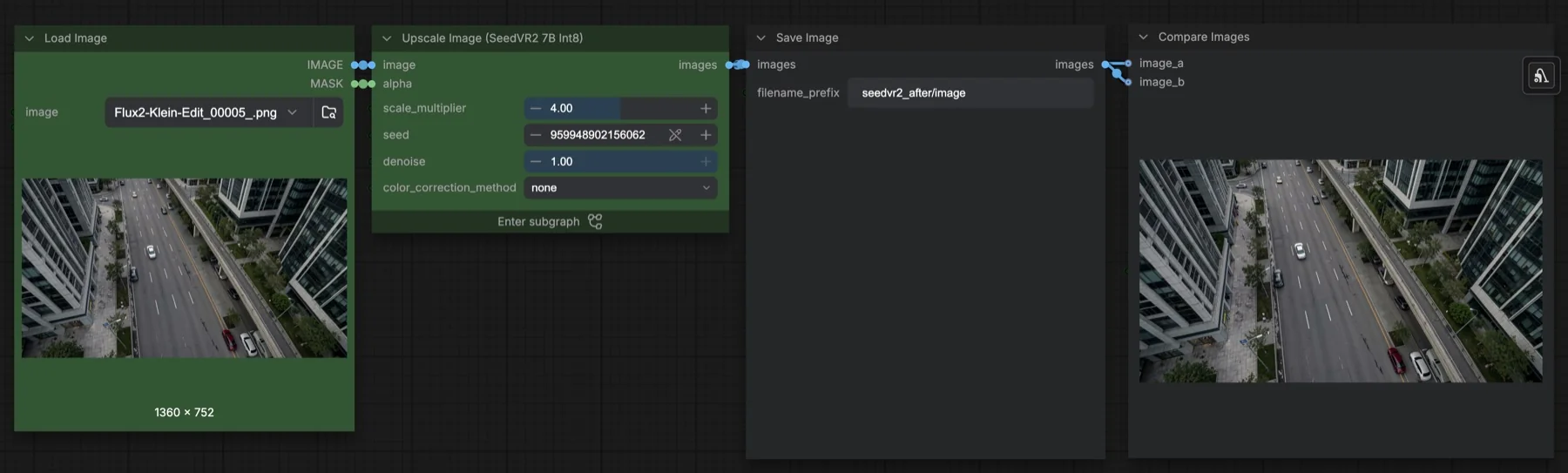
Short answer: this built-in ComfyUI template upscales one image with SeedVR2 7B Int8. It enlarges the image 4 times with Lanczos, then runs one sampling step at CFG 1 and denoise 1 to rebuild detail, using tiled VAE encoding and decoding. The two files it loads total about 8.8 GB. Both Hugging Face repositories list Apache-2.0, which allows commercial use.
Output example
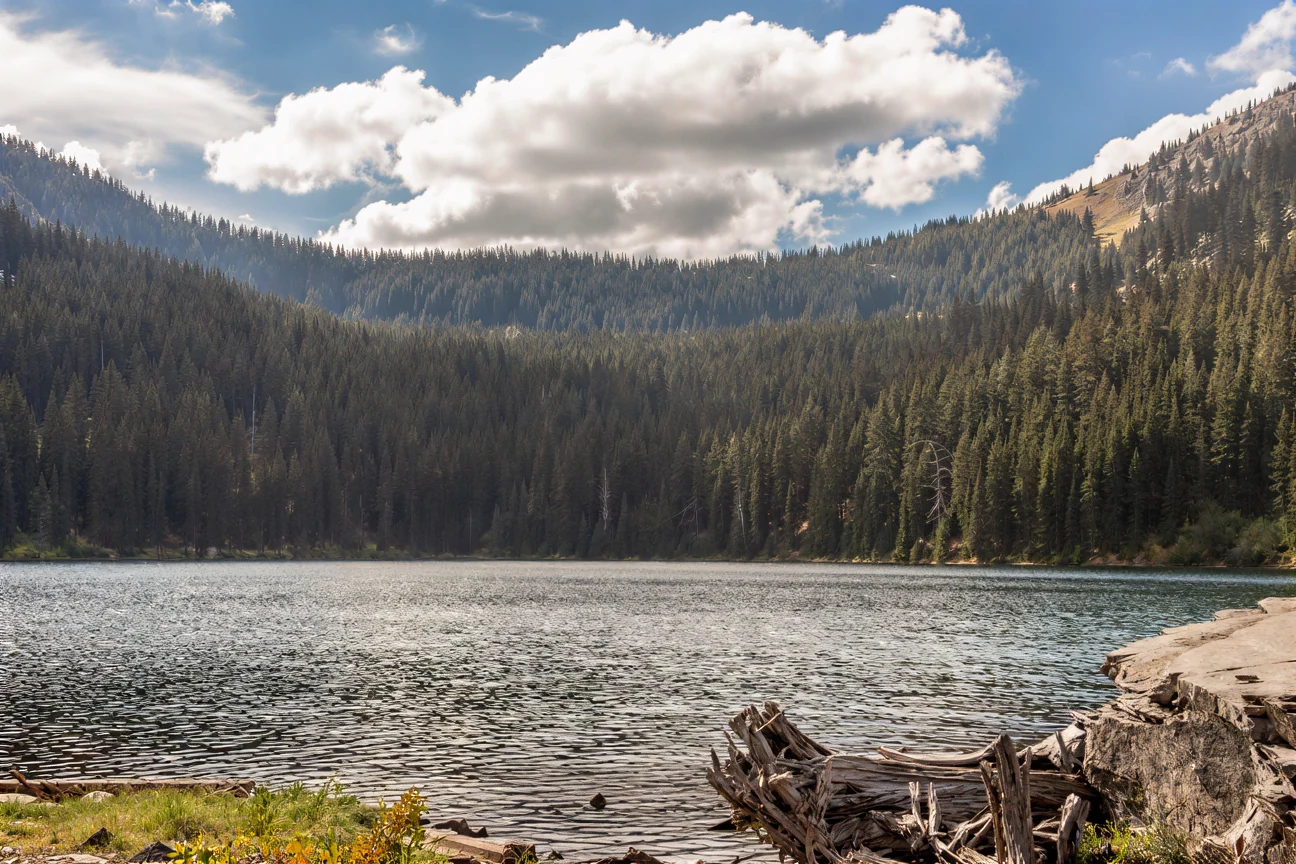
This workflow was run on a PC with an RTX 3090. We downloaded the saved output and inspected the image. It is one prompt and seed, not a general quality benchmark.
Input references
Clay Elliot · Source licence. Pillow proportional thumbnail to fit 1280x704, JPEG quality 95; upscale fixture fits 384x216, JPEG quality 80
Observed limits: Fine branches, water ripples and wood texture are synthesized rather than recovered ground-truth detail; no fidelity metric is implied.
Download and load the workflow
Drag the downloaded JSON file onto the ComfyUI canvas to load it.
Install the model files and any custom nodes listed below. If the workflow uses input images, video or audio, select your own files in the input nodes before running it.
Which files go where
| Part | File | Size | Folder |
|---|---|---|---|
| Diffusion model | seedvr2_7b_int8_convrot.safetensors | 8.33 GB | models/diffusion_models |
| VAE | ema_vae_fp16.safetensors | 0.5 GB | models/vae |
The total is about 8.8 GB. The model comes from Comfy-Org/SeedVR2 and the VAE from numz/SeedVR2_comfyUI. Neither is gated. The template's download information names a SEEDVR2 folder for the VAE, but the workflow loads it with the standard Load VAE node, which reads models/vae. If the file does not appear in the list, put it there. No custom node packs are needed.
Settings in this workflow
| Setting | Value |
|---|---|
| Scale multiplier | 4 (Lanczos resize) |
| Steps | 1 |
| CFG | 1 |
| Sampler and scheduler | euler, simple |
| Denoise | 1 |
| Seed | Fixed |
| Colour correction | none |
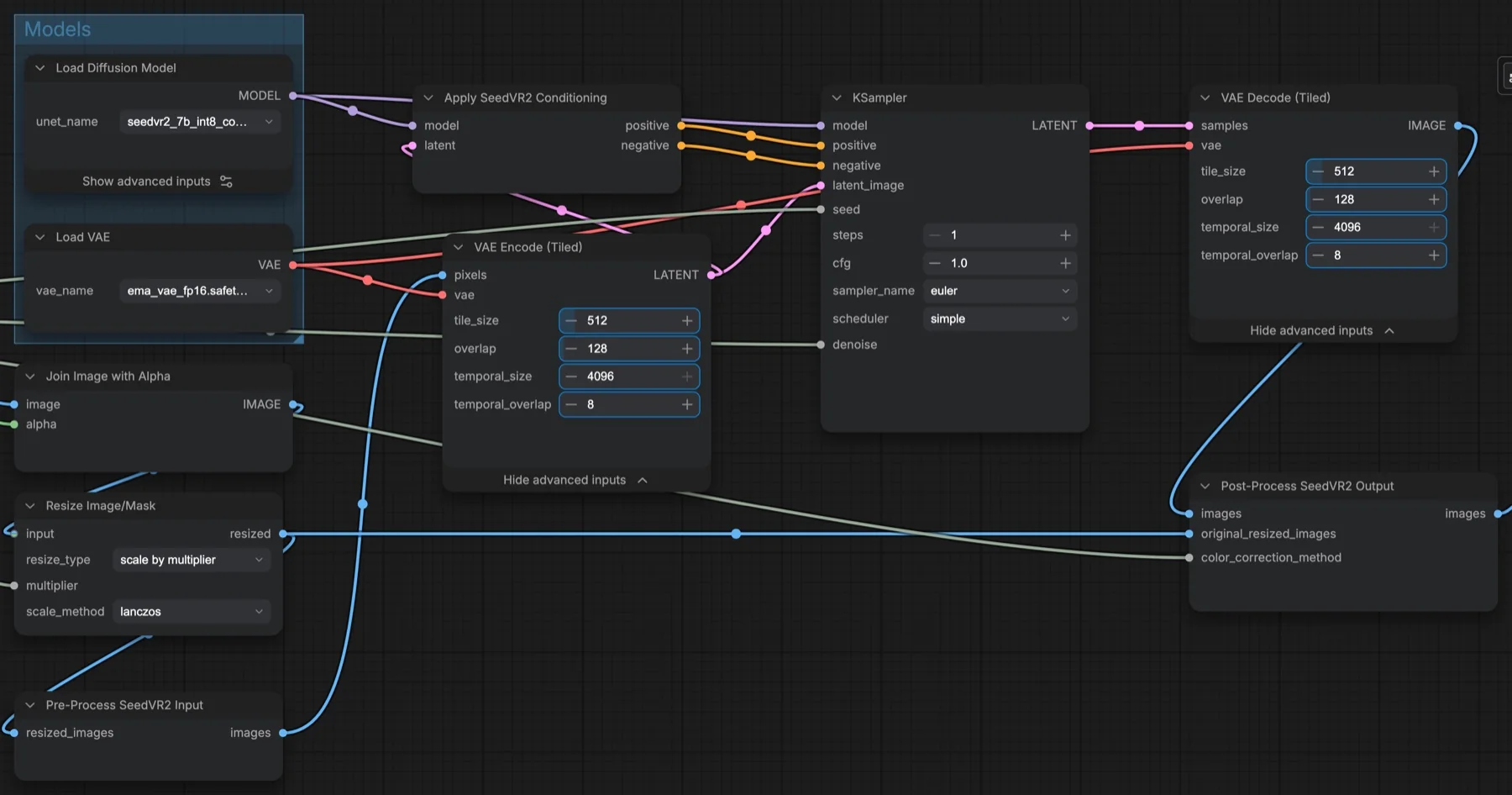
| Tiled VAE encode and decode | Tile 512, overlap 128, temporal size 4096, temporal overlap 8 |
A tiled VAE processes the image in overlapping squares instead of all at once, which keeps memory use down on large outputs. The overlap hides the seams between tiles. CFG (classifier-free guidance) is 1, which means no extra prompt guidance; this workflow has no text prompt at all.
How to use it
- Load the image in Load Image. Its mask goes into the subgraph's alpha input.
- Set scale_multiplier. At 4, a 1360 × 752 image becomes 5440 × 3008.
- Pick a color_correction_method, or leave it at
none. - Run the queue. Save Image writes to
seedvr2_after/image, and Compare Images shows the result next to the original.
What happens inside
Join Image with Alpha adds the mask to the image. Resize Image/Mask scales it up. Pre-Process SeedVR2 Input pads the image for the model and drops the alpha channel. After sampling, Post-Process SeedVR2 Output lines the result up with the resized original, puts the alpha back and applies the colour correction you chose. In ComfyUI's node tooltip, the options are lab, wavelet, adain and none; none only aligns the image and leaves colours as the model made them.
Licence
Both Comfy-Org/SeedVR2 and numz/SeedVR2_comfyUI list Apache-2.0, which allows commercial use. Check again before a large project. Our licence tracker covers the other models on this site.
Troubleshooting
| Problem | Likely cause | Fix |
|---|---|---|
| SeedVR2 nodes are missing | ComfyUI is out of date | Update ComfyUI and restart. |
ema_vae_fp16.safetensors is not in Load VAE | The file is in a SEEDVR2 folder | Move it to models/vae and refresh. |
| Out-of-memory error | The output is very large | Lower scale_multiplier, or lower the tile size on both tiled VAE nodes. |
| Colours shift after upscaling | Colour correction is off | Try lab or wavelet. |
| Visible seams in the result | Tile overlap is too small | Keep overlap at 128 or raise it. |
Where to go next
- Make an image to upscale: Z-Image-Turbo in ComfyUI.
- Edit before you upscale: FLUX 3 Klein image edit in ComfyUI.
- Edit with a 4-step LoRA: Qwen Image Edit 2511 in ComfyUI.
FAQ
Does SeedVR2 need a prompt?
No. This workflow has no text input. It builds its conditioning from the image itself with Apply SeedVR2 Conditioning.
Can I upscale by 2 instead of 4?
Yes. Change scale_multiplier on the subgraph.
Does it keep transparency?
The workflow passes the Load Image mask to the alpha input, and the post-process step puts the alpha back after sampling.
Sources
- Comfy-Org/SeedVR2 on Hugging Face: diffusion model file, size and licence
- numz/SeedVR2_comfyUI on Hugging Face: VAE file, size and licence
- ComfyUI template Image Upscale: SeedVR2 7B Int8: node values and the one-step description