
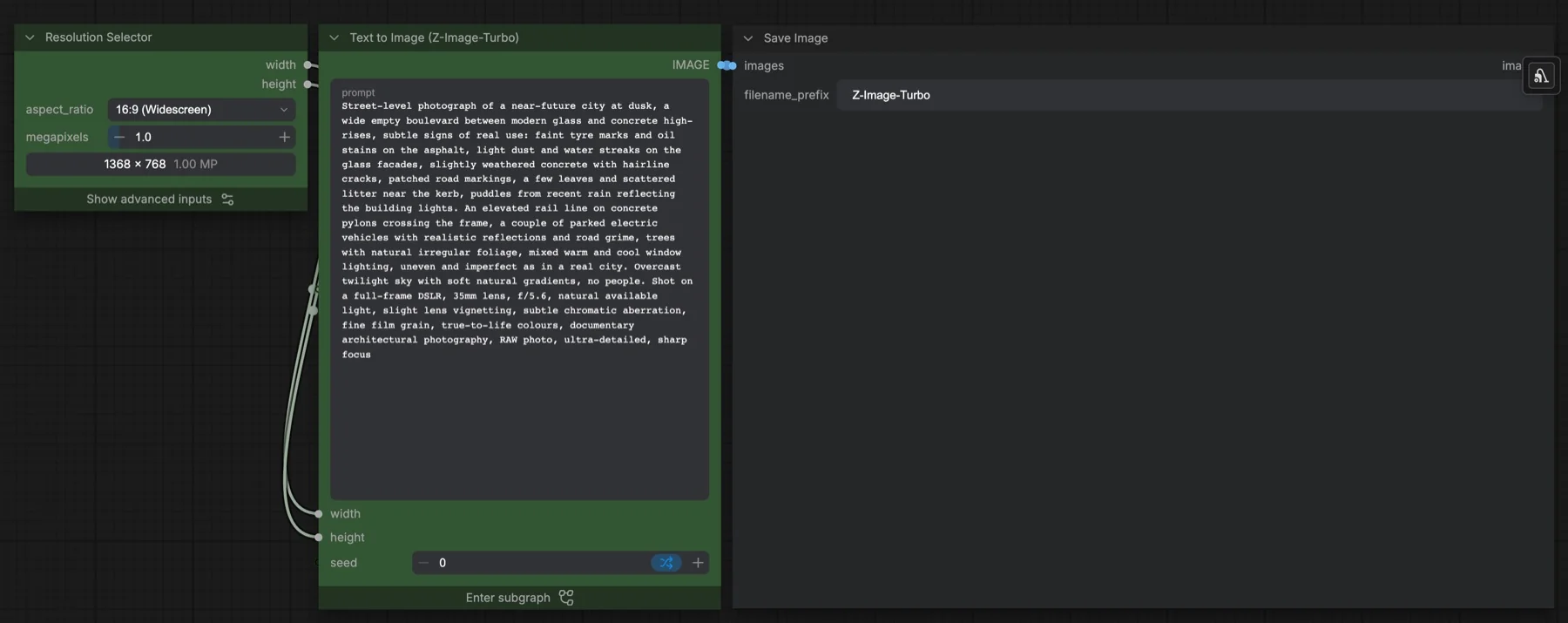
Short answer: this built-in ComfyUI template makes one image from a text prompt with Z-Image-Turbo. It runs 8 steps at CFG 1 with the res_multistep sampler and shift 3, at 1368 × 768 by default. The three files it loads total about 20.7 GB. The Hugging Face repository lists Apache-2.0, which allows commercial use.
Output example
This workflow was run on a PC with an RTX 3090. We downloaded the saved output and inspected the image. It is one prompt and seed, not a general quality benchmark.
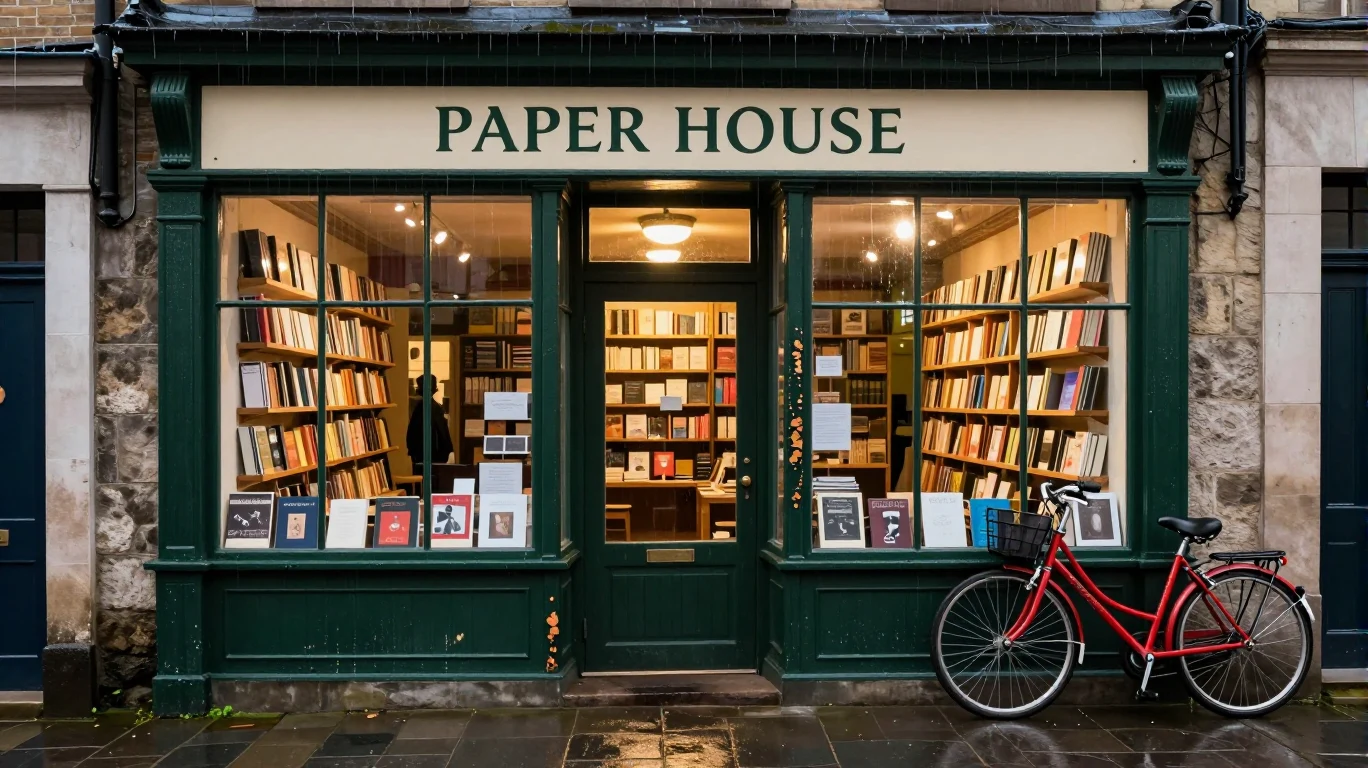
Prompt used for this example
A documentary architectural photograph of a small independent bookshop after rain at dusk. Tall dark green wooden windows reveal warmly lit bookshelves, and a cream sign above the entrance reads "PAPER HOUSE" in simple dark green serif capitals. A red bicycle leans against the stone wall at the right edge. Wet pavement reflects the amber window light; individual raindrops cling to the bicycle frame and the painted wood shows fine chips near the door handle. Eye-level view from across the narrow empty street, balanced frontal composition, full-frame camera with 35mm lens at f/5.6, fine film grain and natural mixed blue-hour and tungsten light.Observed limits: Tiny book-cover lettering is not legible and a dark interior silhouette appears despite the empty-street intent.
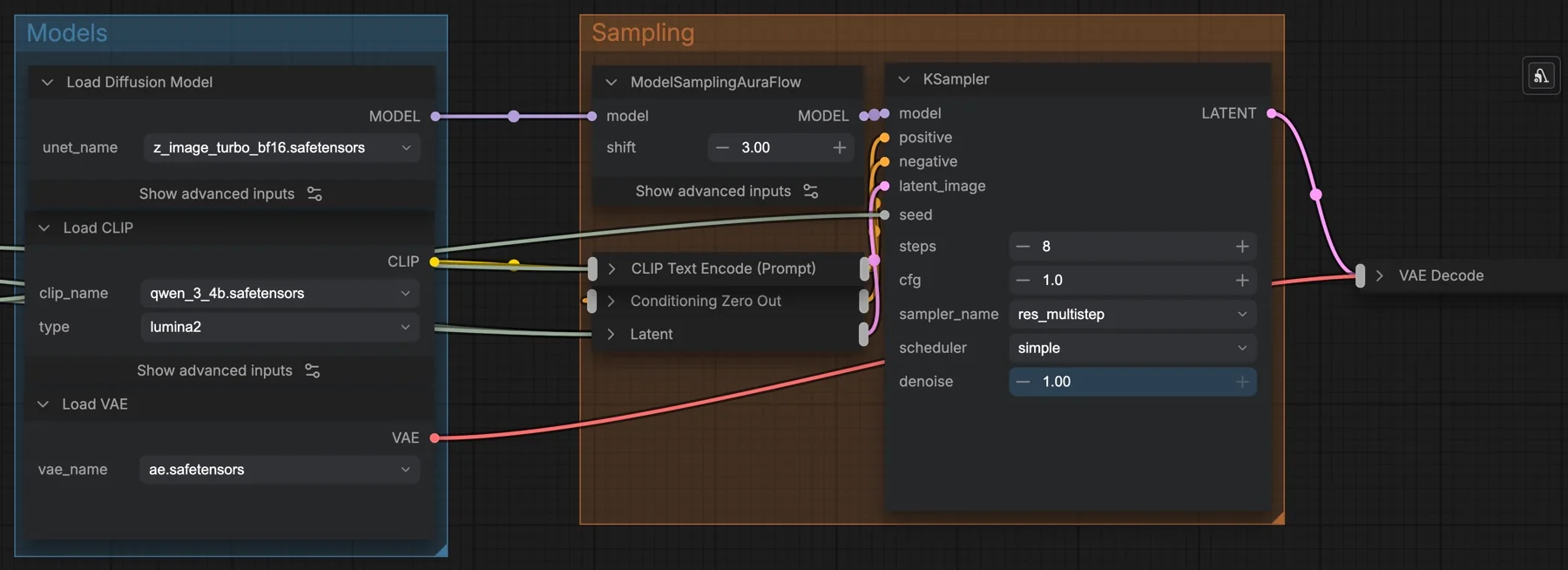
lumina2, and ModelSamplingAuraFlow sets shift 3 before the KSampler.Download and load the workflow
Drag the downloaded JSON file onto the ComfyUI canvas to load it.
Install the model files and any custom nodes listed below. If the workflow uses input images, video or audio, select your own files in the input nodes before running it.
Which files go where
| Part | File | Size | Folder |
|---|---|---|---|
| Diffusion model | z_image_turbo_bf16.safetensors | 12.31 GB | models/diffusion_models |
| Text encoder | qwen_3_4b.safetensors | 8.04 GB | models/text_encoders |
| VAE | ae.safetensors | 0.34 GB | models/vae |
The total is about 20.7 GB. All three files come from Comfy-Org/z_image_turbo, which is not gated, so you can download them without signing in. No custom node packs are needed.
Settings in this workflow
| Setting | Value |
|---|---|
| Steps | 8 |
| CFG | 1 |
| Sampler and scheduler | res_multistep, simple |
| Shift (ModelSamplingAuraFlow) | 3 |
| Denoise | 1 |
| Resolution | 16:9 at 1 megapixel (1368 × 768) |
| Negative prompt | None: Conditioning Zero Out |
| Text encoder type | lumina2 |
Some terms: CFG (classifier-free guidance) sets how strongly the prompt steers the image. At 1 it is effectively off, so a negative prompt has no effect, and the workflow feeds a zeroed one instead. Shift moves more of the sampling effort to the early, noisy steps that set the overall layout.
The empty latent node inside stores 1024 × 1024, but its width and height are linked to Resolution Selector, so the outer size is what runs.
How to use it
- In Resolution Selector, pick an aspect ratio and a megapixel value.
- Write your prompt in the subgraph's prompt box. The template description says English and Chinese both work.
- Set a seed, or leave it on randomise.
- Run the queue. Save Image uses the prefix
Z-Image-Turbo.
Writing prompts for it
The template has no built-in notes, so the best guide is its example prompt. It is a long, plain description: the scene, small signs of wear, the lighting and the camera (35mm lens, f/5.6, film grain). Because CFG is 1, there is no negative prompt to push things away. Say what you want in the image, not what you do not want.
Licence
The Comfy-Org/z_image_turbo repository lists Apache-2.0. Apache-2.0 allows commercial use. Check the repository again before a large project, because licences can change. Our licence tracker compares the open image and video models we cover.
Troubleshooting
| Problem | Likely cause | Fix |
|---|---|---|
| Text encoder fails to load | Wrong CLIP type | Set Load CLIP to qwen_3_4b.safetensors with type lumina2. |
| Images look burnt or too contrasty | CFG was raised above 1 | Set CFG back to 1. |
| Images look unfinished | Steps were lowered | Go back to 8 steps. |
| Out-of-memory error | Resolution is too high for your GPU | Lower the megapixels in Resolution Selector. |
| A model file is not in the list | It is in the wrong folder | Check the folders in the table above and press R to refresh. |
Where to go next
- Compare another fast model: FLUX 3 Klein text to image in ComfyUI.
- Edit the images you make: Qwen Image Edit 2511 in ComfyUI.
- Enlarge them: SeedVR2 7B image upscale in ComfyUI.
FAQ
Can I use Z-Image-Turbo commercially?
The ComfyUI repository lists Apache-2.0, which allows commercial use.
How many steps does Z-Image-Turbo use?
8 steps at CFG 1 in this template, with res_multistep and shift 3.
How much disk space do I need?
About 20.7 GB for the three files.
Sources
- Comfy-Org/z_image_turbo on Hugging Face: ComfyUI weight files, sizes and licence
- ComfyUI template Z-Image-Turbo: Text to Image: node values and the model description