
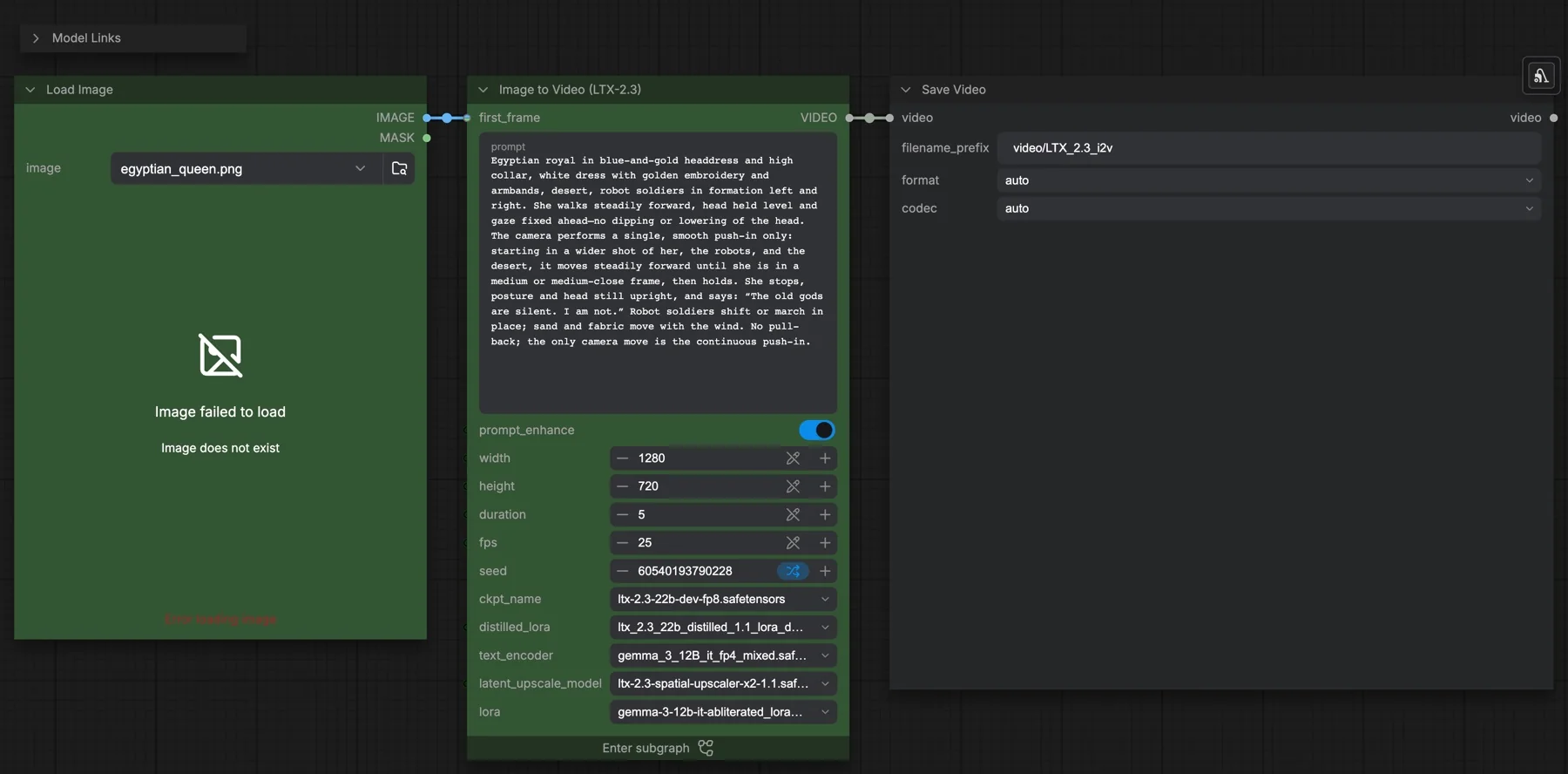
Short answer: The built-in LTX-2.3: Image to Video template animates one image from a text prompt and saves a clip with an audio track. It loads the ltx-2.3-22b-dev-fp8 checkpoint with a distilled LoRA at 0.5, samples at half size for 8 steps, doubles the size with a latent upscaler, then refines for 3 steps, all at CFG 1. The default output is 1280 × 720, 5 seconds at 25 fps. The files total about 43 GB. The licence is the LTX-2 community licence, which has conditions.
Output example
This workflow was run on a PC with an RTX 3090. We downloaded the saved output and inspected sampled video frames. It is one prompt and seed, not a general quality benchmark.
Audio stream checks confirm technical presence only. We have not verified sound quality, speech accuracy or lip sync by listening.
Input references
James Wheeler · Source licence. Centered 16:9 crop, Lanczos resize to 1280x720, JPEG quality 95. control.mp4: deterministic 10-second FFmpeg slow zoom/pan at 25 fps, 1280x704; anchors extracted at 0, 1.5, 3 and 8 seconds.
Prompt used for this example
Use the provided start image as the first frame. Preserve the orange mountain peaks, dark evergreen shore and turquoise lake at sunset. A small breeze sweeps across the water from left to right, creating a band of fine ripples that softly breaks the reflected mountains. The camera stays locked off with a level horizon throughout this five-second nature shot. Mountains and trees keep their shapes and positions; the small canoes remain moored. Warm light stays unchanged. Soft wind and delicate water lapping, no dialogue, music or text, no cuts.Observed limits: One fixture does not exercise optional inputs or establish general reliability. Audio stream presence does not establish speech accuracy, sound quality or lip sync.
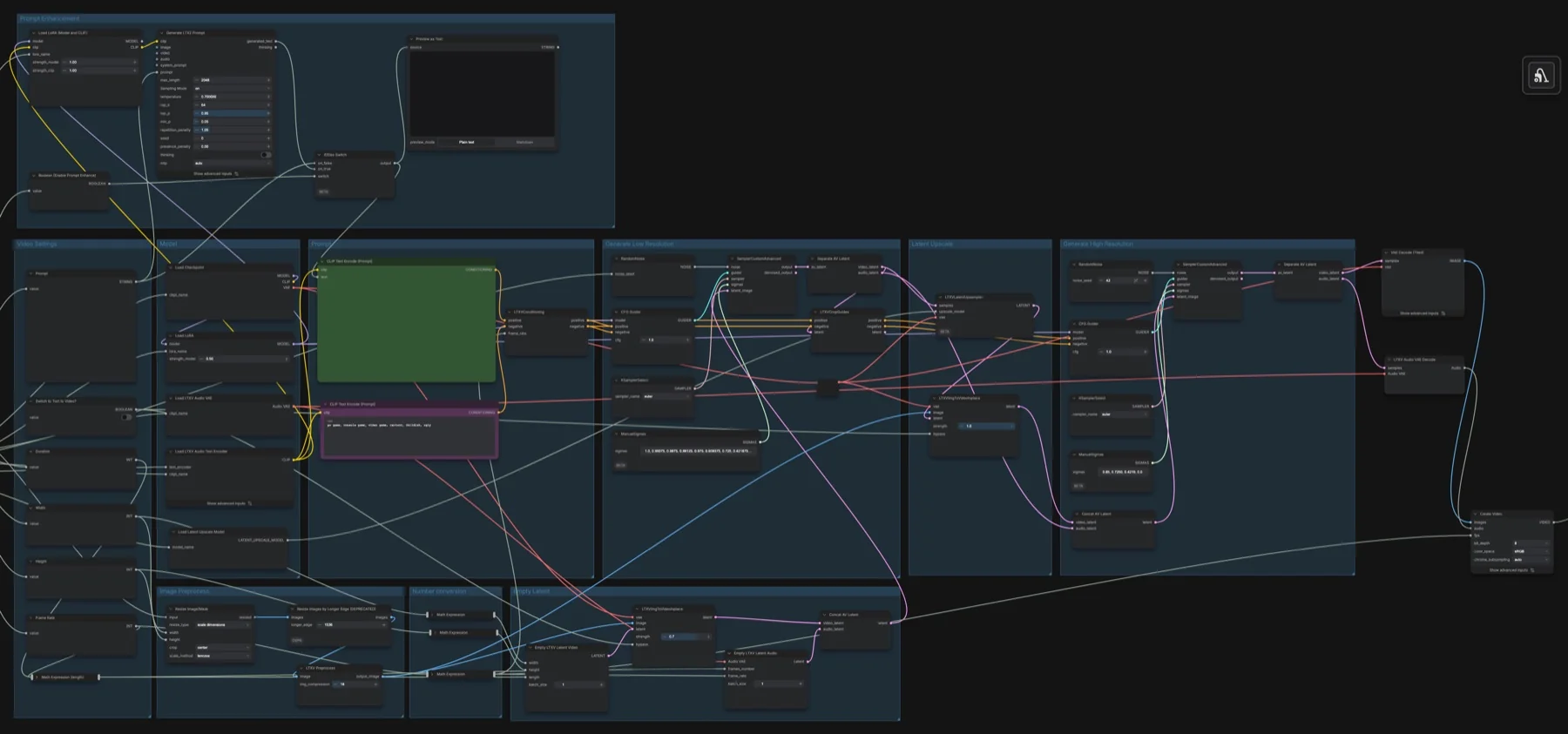
Download and load the workflow
Drag the downloaded JSON file onto the ComfyUI canvas to load it.
Install the model files and any custom nodes listed below. If the workflow uses input images, video or audio, select your own files in the input nodes before running it.
Which files go where
| Part | File | Size | Folder |
|---|---|---|---|
| Checkpoint (video, audio VAE) | ltx-2.3-22b-dev-fp8.safetensors | 29.15 GB | models/checkpoints |
| Distilled LoRA | ltx_2.3_22b_distilled_1.1_lora_dynamic_fro09_avg_rank_111_bf16.safetensors | 2.74 GB | models/loras |
| Latent upscaler | ltx-2.3-spatial-upscaler-x2-1.1.safetensors | 1.0 GB | models/latent_upscale_models |
| Text encoder | gemma_3_12B_it_fp4_mixed.safetensors | 9.45 GB | models/text_encoders |
| Prompt enhancer LoRA | gemma-3-12b-it-abliterated_lora_rank64_bf16.safetensors | 0.63 GB | models/loras |
The total is about 42.97 GB. None of these repositories is gated, and the workflow needs no custom node packs. A LoRA is a small add-on file that changes how a model behaves without replacing it.
Settings in this workflow
| Setting | Value |
|---|---|
| Output size | 1280 × 720 (the first pass runs at half width and height) |
| Duration and frame rate | 5 seconds at 25 fps; frames = duration × fps + 1, so 126 |
| Distilled LoRA strength | 0.5 |
| Low-resolution pass | Euler, CFG 1, 8 steps from the sigma list 1.0, 0.99375, 0.9875, 0.98125, 0.975, 0.909375, 0.725, 0.421875, 0.0 |
| High-resolution pass | Euler, CFG 1, 3 steps from the sigma list 0.85, 0.7250, 0.4219, 0.0; seed fixed at 42 |
| First-frame strength | 0.7 in the low-resolution pass, 1.0 after the upscale |
| Image preprocessing | Resized and centre-cropped to the output size, longer edge capped at 1536, LTXV Preprocess compression 18 |
| Negative prompt | pc game, console game, video game, cartoon, childish, ugly |
| Prompt enhance | On |
| Switch to Text to Video? | Off |
CFG is how strongly the sampler pushes towards your prompt. Sigmas are the noise levels the sampler steps through: a list of nine values gives eight steps.
How to use it
- Choose your start image in Load Image.
- Write the prompt in the subgraph's prompt box.
- Decide whether to keep prompt_enhance on (see below).
- Set width, height, duration and fps on the subgraph panel.
- Run the queue. Save Video writes the file with the prefix
video/LTX_2.3_i2v.
To run it as text to video, enter the subgraph and turn on Switch to Text to Video? in the Video Settings group. It bypasses both image-conditioning nodes.
Prompting and the prompt enhancer
The workflow notes give three prompting rules for LTX-2.3: describe actions as they happen over time, describe every visual detail you want to see, and describe the sounds and dialogue the scene needs. The example prompt follows this: a walk, one camera push-in, a line of spoken dialogue, and wind in sand and fabric.
With prompt_enhance on, the Generate LTX2 Prompt node rewrites your prompt before encoding (max length 2048, temperature 0.7). It uses the Gemma 3 text encoder plus a community LoRA from the Comfy-Org/ltx-2 repository that changes how Gemma responds. That LoRA is wired only to the rewriting node. If you prefer not to use it, turn prompt_enhance off: your own prompt then goes straight to the standard gemma_3_12B_it_fp4_mixed encoder. Preview as Text shows the final prompt either way.
Licence
The Lightricks/LTX-2.3 and Lightricks/LTX-2.3-fp8 repositories list the LTX-2 Community License Agreement, and Comfy-Org/ltx-2.3 and Comfy-Org/ltx-2 list the LTX-2 community licence too. It is not Apache-2.0 or MIT. It has conditions, so read it before any commercial use. Our licence tracker compares the current options.
Troubleshooting
| Problem | Likely cause | Fix |
|---|---|---|
| LTXV nodes are red or missing | ComfyUI is out of date | Update ComfyUI and restart. |
| A model picker shows a missing file | The file is in the wrong folder | Check the table: the upscaler goes in latent_upscale_models, both LoRAs in loras. |
| The clip ignores your image | Switch to Text to Video? is on | Turn it off inside the subgraph. |
| The prompt was changed in ways you did not want | prompt_enhance is on | Check Preview as Text, or turn prompt_enhance off. |
| Out-of-memory error | The clip is too large or too long | Lower width, height or duration on the subgraph panel. |
| Other runtime errors | A workflow or node bug | Report it on ComfyUI-LTXVideo issues, as the notes suggest. |
Where to go next
- Want the motion of another video? See LTX-2.3 depth control video in ComfyUI.
- The newer model: LTX-2.5 image to video in ComfyUI.
- A different base model: MiniMax H3 image to video in ComfyUI.
- More video experiments: our generative video FX project.
FAQ
Does LTX-2.3 make sound?
Yes. The workflow builds an audio latent next to the video latent and decodes it with the audio VAE stored in the checkpoint, so the saved file has an audio track. Describe sounds and dialogue in the prompt.
Can I use LTX-2.3 commercially?
Only within the terms of the LTX-2 community licence. Read it before client or commercial work.
Why does the workflow need two LoRAs?
The distilled LoRA (strength 0.5) is applied to the dev checkpoint and feeds both sampling passes. The second LoRA only serves the optional prompt enhancer.
Sources
- Lightricks/LTX-2.3 on Hugging Face: model card, latent upscaler, licence
- Lightricks/LTX-2.3-fp8 on Hugging Face: FP8 dev checkpoint
- Comfy-Org/ltx-2.3 on Hugging Face: distilled LoRA
- Comfy-Org/ltx-2 on Hugging Face: Gemma 3 text encoder and prompt enhancer LoRA
- Lightricks/LTX-2 on GitHub: project code, linked from the workflow notes
- ComfyUI update guide: how to update before loading the template