
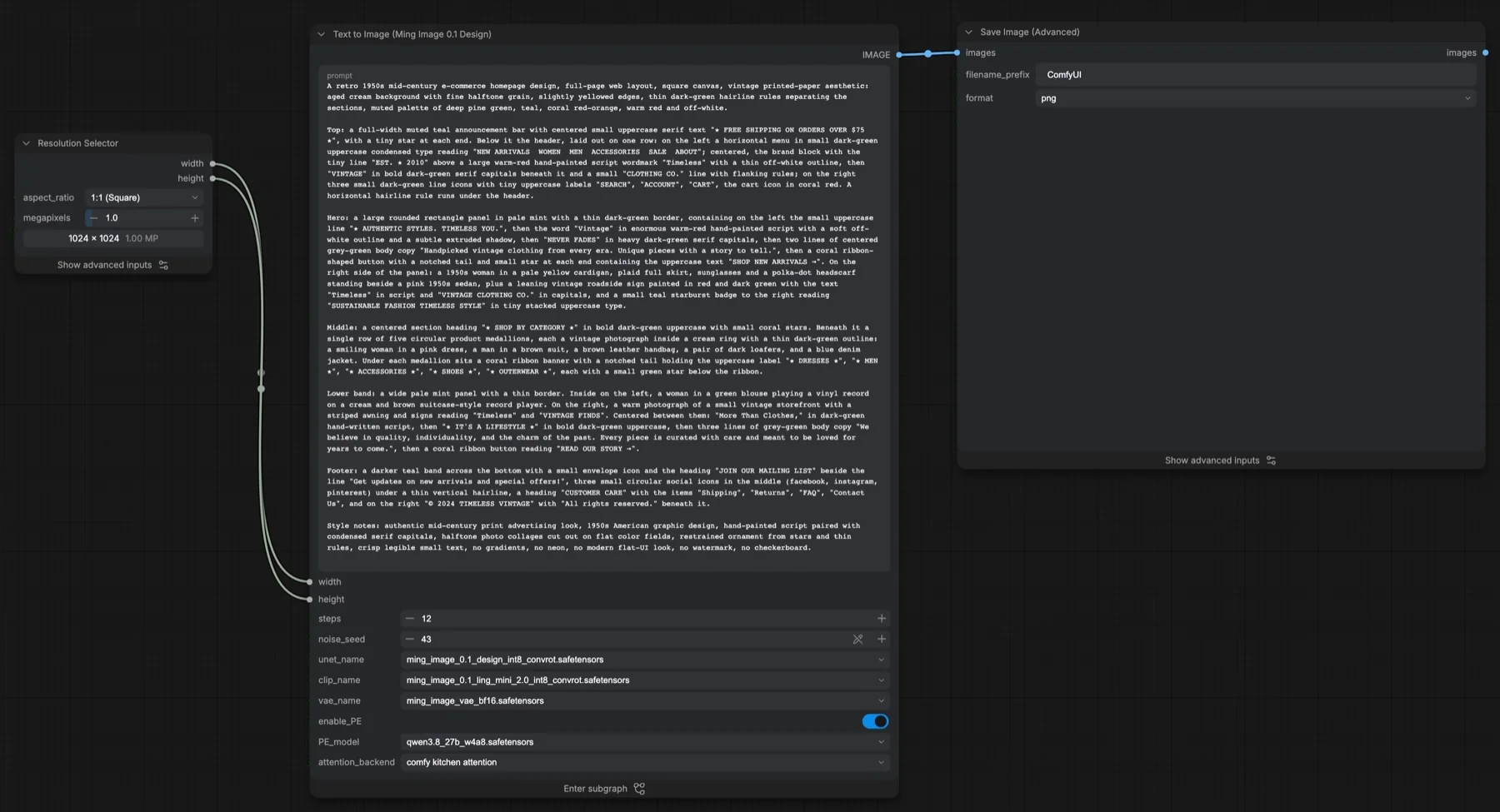
Short answer: this ComfyUI template turns a text prompt into one design-style image with Ming Image 0.1 Design, a model the template describes as a 6B model tuned for UI screens, infographics and posters. It samples for 12 steps with the Euler sampler and no CFG, at 1024 × 1024 by default. An optional prompt enhancer (Qwen3.8 27B) rewrites your request first. The four files it loads total about 43.2 GB. The Ming files are MIT and the enhancer is Apache-2.0, so both allow commercial use.
Output example
This workflow was run on a PC with an RTX 3090. We downloaded the saved output and inspected the image. It is one prompt and seed, not a general quality benchmark.
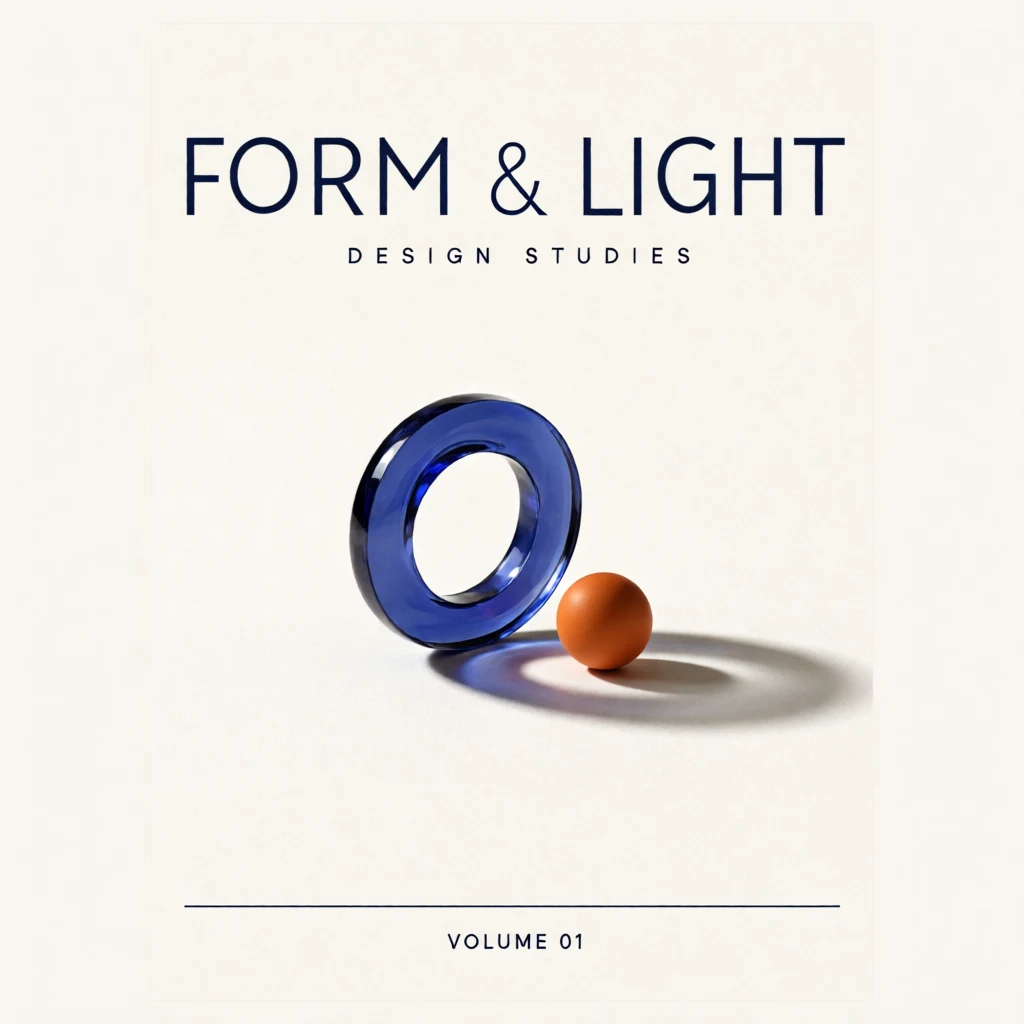
Prompt used for this example
A minimalist editorial exhibition poster on ivory uncoated paper. Across the upper quarter, large dark navy modern sans-serif capitals read "FORM & LIGHT". Below, the smaller line "DESIGN STUDIES" is widely spaced. In the center, a sculptural translucent cobalt glass ring stands upright beside a small matte orange sphere, with a long soft shadow cast to the lower right. The objects are isolated on the ivory field with generous margins. A fine navy horizontal rule crosses the bottom fifth. Beneath the rule, small navy text reads "VOLUME 01". Precise Swiss graphic hierarchy, restrained cobalt, orange and ivory palette, subtle paper grain. Every phrase appears once.Observed limits: Raster design; optional prompt enhancer was disabled for the authored brief.
Download and load the workflow
Drag the downloaded JSON file onto the ComfyUI canvas to load it.
Install the model files and any custom nodes listed below. If the workflow uses input images, video or audio, select your own files in the input nodes before running it.
Which files go where
| Part | File | Size | Folder |
|---|---|---|---|
| Diffusion model | ming_image_0.1_design_int8_convrot.safetensors | 6.18 GB | models/diffusion_models |
| Text encoder | ming_image_0.1_ling_mini_2.0_int8_convrot.safetensors | 19.51 GB | models/text_encoders |
| VAE | ming_image_vae_bf16.safetensors | 0.25 GB | models/vae |
| Prompt enhancer | qwen3.8_27b_w4a8.safetensors | 17.29 GB | models/text_encoders |
The total is about 43.2 GB. The three Ming files alone come to about 25.9 GB. None of the repositories is gated, and no custom node packs are needed.
Settings in this workflow
| Setting | Value |
|---|---|
| Resolution | Resolution Selector, 1:1 at 1 megapixel, multiple of 8 (1024 × 1024) |
| Steps | 12 |
| Scheduler | simple, denoise 1 |
| Sampler | euler |
| Guidance | Basic Guider, positive prompt only (no CFG, no negative prompt) |
| Shift (ModelSamplingFlux) | max shift 1.15, base shift 0.5 |
| Seed | 43, fixed |
| Attention backend | comfy kitchen attention |
| Prompt enhancer (enable_PE) | On, Qwen3.8 27B W4A8, max length 4096, temperature 0.7, top_k 64, top_p 0.95, min_p 0.05, repetition penalty 1.05 |
| Output | Save Image (Advanced), PNG, 8-bit, sRGB |
CFG (classifier-free guidance) normally compares your prompt with a negative prompt on every step. This workflow skips that. Shift moves where the sampler spends its steps along the noise schedule.
How to use it
- In Resolution Selector, pick the aspect ratio and megapixels. The width and height feed the subgraph.
- Write your request in the subgraph's prompt box. The example describes a full 1950s shop homepage section by section, with every visible word in quotes.
- Leave enable_PE on if you want the prompt enhancer to expand a short request. Turn it off to send your text straight to the Ming text encoder.
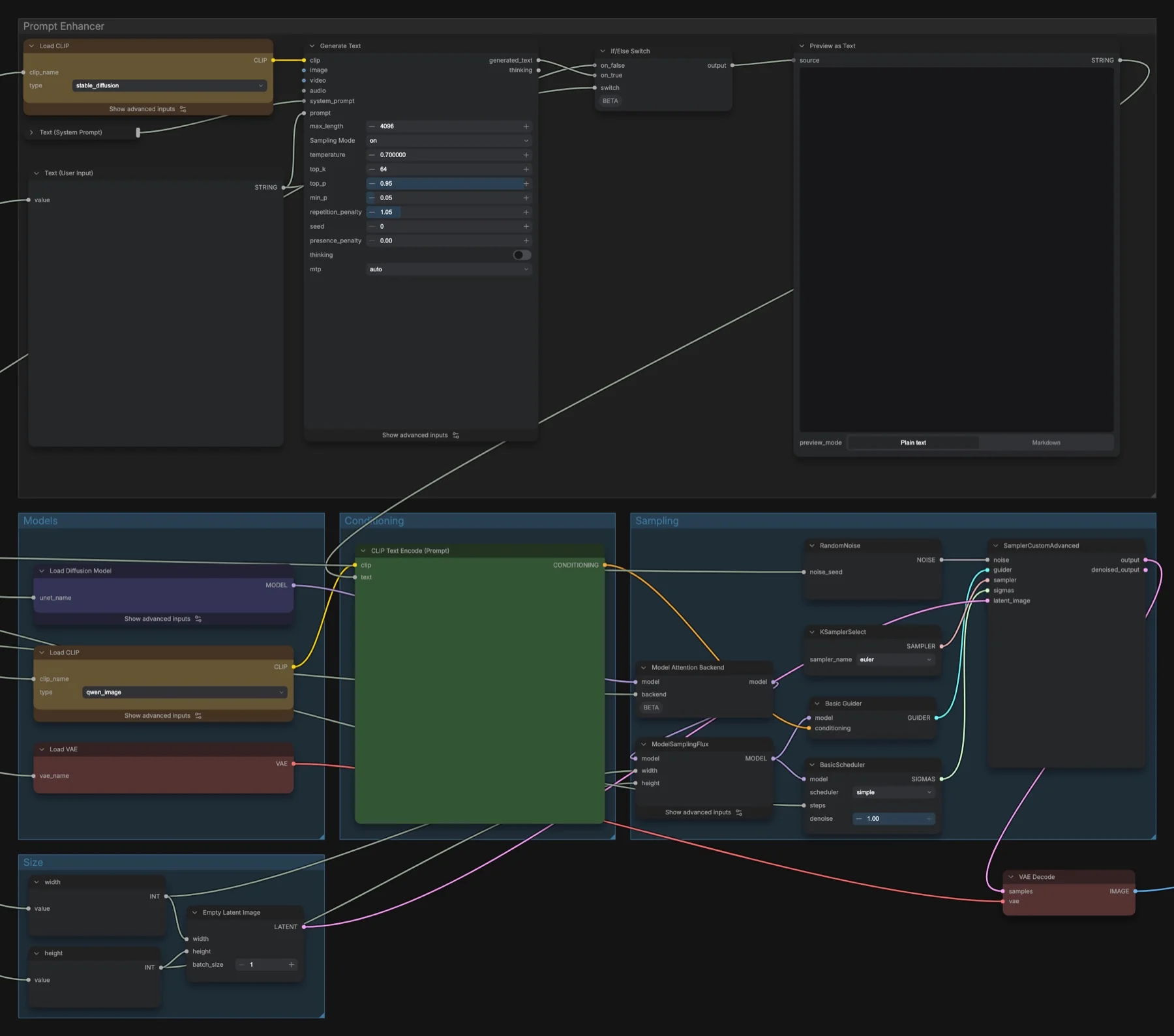
- Open the subgraph and check Preview as Text to see the final prompt the model receives.
- Change noise_seed for a different result, then queue the run.
How the prompt enhancer writes prompts
A subgraph is a group of nodes packed into one node; double-click it to see inside. In this one, Generate Text runs Qwen3.8 27B with a system prompt that asks for a Figma-style caption: one JSON object with canvas_settings (aspect ratio, ambient lighting, image style) and layers, listed from background to top. Each layer has a description, a coordinates string such as cx: 0.500, cy: 0.500, w: 1.000, h: 1.000 (centre and size, from 0 to 1), a note on how it relates to other layers, and hex colours.
The system prompt also tells the enhancer to keep every quoted string exactly as written and use it once. So quote all the text you want printed, and spell it the way you want it to appear.
Licence
The Comfy-Org/Ming-Image repository lists the MIT licence, and the Comfy-Org/Qwen3.8-27B repository lists Apache-2.0. Both allow commercial use. Our licence tracker compares the other open image and video models.
Troubleshooting
| Problem | Likely cause | Fix |
|---|---|---|
| Nodes show as missing | ComfyUI is older than the template | Update ComfyUI and restart. |
| comfy kitchen attention is not in the list | Your GPU does not support it | The Ming edit template notes say to pick pytorch attention: same result, slower. |
| Out-of-memory error | The 27B prompt enhancer runs before Ming | Turn enable_PE off and write a detailed prompt yourself. |
| The image ignores parts of your prompt | The enhancer rewrote it | Read Preview as Text, then edit your request or turn enable_PE off. |
Where to go next
- Restyle a photo with drawn boxes: Ming Image 0.1 Design image edit in ComfyUI.
- An Apache-2.0 model with its own prompt enhancer: MOSS-Image text to image.
- Compare with Qwen-Image 2.1 text to image, but check its licence first.
FAQ
Can I use Ming Image 0.1 Design commercially?
The Comfy-Org/Ming-Image repository lists MIT, which allows commercial use. Check the licence again before a large project.
Why is there no negative prompt?
The workflow uses a Basic Guider with positive conditioning only, so there is no CFG and nowhere to put a negative prompt. Put exclusions such as "no watermark" in the prompt itself, as the example does.
Can I write the JSON caption myself?
Yes. Turn enable_PE off and paste a caption with canvas_settings and layers into the prompt box.
Sources
- Comfy-Org/Ming-Image on Hugging Face: diffusion model, text encoder and VAE files, MIT licence
- Comfy-Org/Qwen3.8-27B on Hugging Face: prompt enhancer file, Apache-2.0 licence
- Ming-Image-0.1-Design model card: the official model page
- inclusionAI/Ming-Image on GitHub: code and the official caption rewriter prompt