
AI Agents Inside Windows: The New Era of Autonomous Work
Estimated reading time: 7 minutes
- Windows is evolving from a static tool-based OS to a dynamic coordination layer for autonomous digital workers.
- Office 365 Agent Mode enables multi-step, background task execution across files, emails, and calendars.
- Dedicated reasoning models allow AI agents to engage in complex logic, troubleshooting, and multi-step planning.
- Security and governance remain paramount, necessitating robust audit logs, sandboxing, and private infrastructure.
- The Evolution of the OS: From Tools to Teammates
- What is Office 365 Agent Mode?
- The Role of the Dedicated Reasoning Model
- Infrastructure Demands: Moving Beyond the Sidebar
- Security and Governance in an Agentic World
- The Shift Toward Private Infrastructure
- Redesigning the Workflow for Autonomy
- The Future of the Autonomous Desktop
- Conclusion
- FAQ
- Sources
Microsoft is fundamentally rebuilding the operating system to move beyond simple menus and icons. We are currently witnessing a shift from static software to dynamic, autonomous workflows. The integration of AI agents inside Windows marks a massive structural change in how we approach daily productivity and enterprise operations.
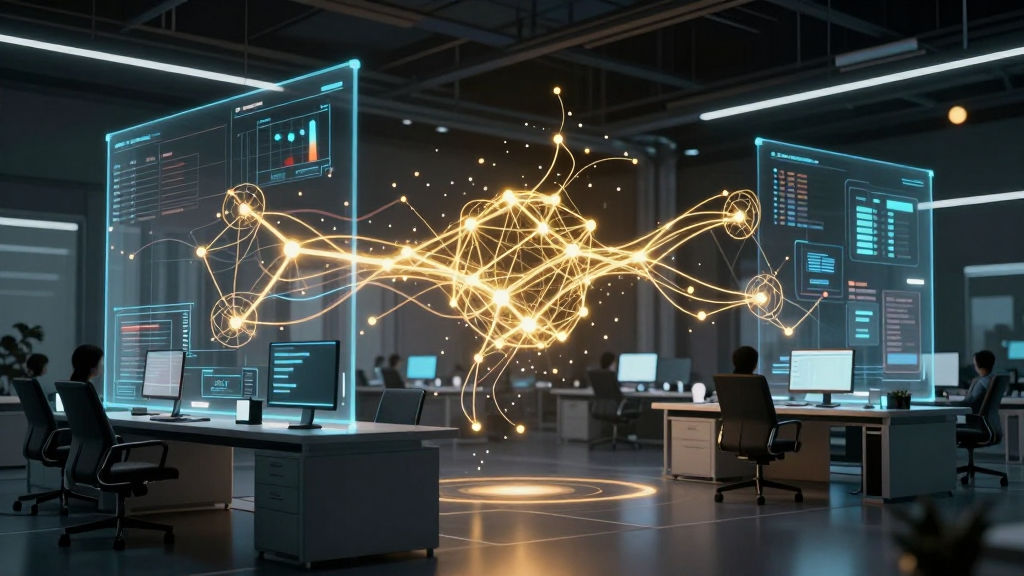
Satya Nadella recently outlined a vision where the operating system itself acts as a host for persistent digital workers. These are not just chatbots waiting for a prompt; they are autonomous entities designed to execute tasks 24/7. Consequently, the desktop is transforming from a digital workspace into an active coordination layer for AI labor.
The Evolution of the OS: From Tools to Teammates
For decades, Windows has functioned as a platform for human-driven applications. Users would open a program, perform a task, and save the result. However, the introduction of AI agents inside Windows changes this linear relationship entirely. The operating system is now being refactored to support agents that can plan, execute, and monitor work without constant human supervision.
This transformation represents the deepest architectural change to Windows in nearly thirty years. Instead of just launching an app, you are now managing a digital workforce. These agents inhabit the system level, allowing them to bridge the gap between different applications seamlessly. For example, an agent could monitor your inbox, update a project management board, and draft a response in a shared document simultaneously.
This level of integration requires a robust agent-native cloud architecture to ensure these workers stay synchronized across devices. By embedding intelligence directly into the kernel and UI layers, Microsoft is turning the OS into a proactive assistant. Consequently, the focus shifts from “how do I use this tool” to “what outcome do I want to achieve.”
What is Office 365 Agent Mode?
One of the most significant updates is the arrival of Office 365 Agent Mode. This feature is reportedly set to be turned “on” by default for enterprise users. Unlike the initial versions of Copilot, which acted as a sidebar assistant, Agent Mode allows the software to take actions on your behalf.
Specifically, these agents can navigate your files, emails, and calendar to perform complex multi-step processes. If you receive a request for a quarterly report, the agent can autonomously gather data from Excel, summarize key points from Outlook, and generate a PowerPoint deck. It performs these steps while you focus on higher-level strategy.
Furthermore, these agents operate in the background. They do not require you to keep the application window active. As a result, productivity is no longer tied to the number of hours you spend staring at a screen. Instead, your output is limited only by the quality of the instructions and the governance frameworks you put in place.
The Role of the Dedicated Reasoning Model
To move beyond simple text generation, Microsoft is deploying a dedicated reasoning model. Generic large language models (LLMs) are often excellent at conversation but struggle with complex, multi-step logic. A reasoning-optimized model, however, is built specifically for tool use and system integration.
This model allows AI agents inside Windows to engage in multi-step planning. For instance, if an agent encounters an error while accessing a database, it can troubleshoot the issue. It might try an alternative API or look for the data in a different directory. This “chain-of-thought” processing is essential for building autonomous systems that are actually reliable.
Moreover, this reasoning layer acts as a bridge between the user’s intent and the system’s capabilities. It translates a simple command like “onboard the new hire” into a dozen technical steps. These steps include creating accounts, sending welcome emails, and assigning training modules. Building such systems requires a sophisticated enterprise autonomy architecture to maintain consistency and reliability.
Infrastructure Demands: Moving Beyond the Sidebar
Running autonomous agents 24/7 requires a massive amount of compute power. Traditional cloud-based AI often suffers from latency and high costs when tasks are continuous. To solve this, Microsoft is pushing the concept of the “AI PC,” which uses dedicated Neural Processing Units (NPUs) to handle local inference.
However, for enterprise-scale deployments, local hardware is rarely enough. Organizations need a hybrid approach where simple tasks happen on the device, while complex reasoning happens in a secure cloud environment. This creates a high demand for specialized AI infrastructure that can scale dynamically.
As these agents become more prevalent, the bottleneck shifts from software capability to hardware availability. Companies must now consider how their internal networks handle the constant data traffic generated by hundreds of active agents. Consequently, many firms are looking toward private AI infrastructure for enterprises to maintain speed and data sovereignty.
Security and Governance in an Agentic World
Autonomy brings significant risks. When an AI can take actions—such as moving money or deleting files—the stakes for security are incredibly high. We have already seen the dangers of connecting autonomous systems to external tools. For instance, reports have surfaced regarding an autonomous AI technology breach where internal systems were exposed to unintended risks.
To prevent similar issues within Windows, Microsoft is implementing strict audit logs and permission sets. Every action taken by an agent must be traceable back to a specific policy or user authorization. IT administrators will need new tools to monitor “agent health” and “agent behavior” just as they currently monitor human employees.
Furthermore, the concept of “sandboxing” becomes critical. Agents must be restricted from accessing sensitive data unless explicitly permitted. If an agent is designed to schedule meetings, it should have no way to access the company’s financial records. Maintaining these boundaries is the only way to ensure that AI agents inside Windows remain a benefit rather than a liability.
The Shift Toward Private Infrastructure
While Microsoft provides the platform, many large enterprises are wary of sending all their proprietary data to a public cloud. This is particularly true in industries like finance, healthcare, and defense. These organizations often require a “private” version of the agent host where data never leaves their control.
Private infrastructure allows companies to host their own reasoning models and agent coordination layers. By doing so, they can customize the agents to follow specific industry regulations. They also avoid the “noisy neighbor” effect of public cloud platforms, ensuring consistent performance for their autonomous workers.
Additionally, private deployments allow for deeper integration with legacy on-premise systems. Most large companies still rely on older software that isn’t easily accessible via the public internet. A private agent, running within the corporate network, can bridge the gap between modern AI and legacy infrastructure. This enables a level of automation that would be impossible with a strictly cloud-based solution.
Redesigning the Workflow for Autonomy
The presence of AI agents inside Windows will eventually change how we design business processes. Currently, most workflows are designed around human limitations. We create meetings, emails, and documents because that is how humans communicate and track progress.
However, an agent-first workflow looks very different. Meetings might become shorter or disappear entirely as agents provide real-time updates and consensus. Emails could be replaced by shared “state” logs that agents and humans monitor together. The very concept of a “file” might evolve into a dynamic data object that agents update constantly.
Organizations that adapt to this shift early will gain a massive competitive advantage. They will be able to operate with much lower overhead while maintaining a higher pace of innovation. Instead of hiring more people to handle administrative bloat, they will deploy more agents to handle the complexity.
The Future of the Autonomous Desktop
In the coming years, we expect to see “Company of Bots” models where teams of agents collaborate on complex projects. One agent might handle research, another might handle design, and a third might handle quality assurance. Windows will serve as the conductor for this digital orchestra.
Furthermore, we will see the rise of specialized hardware designed for these persistent workers. This includes modular AI pods and data centers optimized for agentic workloads. As the technology matures, the distinction between “human work” and “agent work” will become increasingly blurred.
Ultimately, the goal is to liberate human workers from the mundane. By delegating repetitive tasks to AI agents inside Windows, we can focus on creativity, empathy, and complex problem-solving. This is the promise of the autonomous era, and it is beginning right on your desktop.
Conclusion
The arrival of AI agents inside Windows and the “Agent Mode” in Office 365 represents a paradigm shift in computing. We are moving from a world where we use software to a world where software works for us. By leveraging dedicated reasoning models and advanced infrastructure, Microsoft is setting the stage for a fully autonomous enterprise. However, this transition requires careful attention to security, governance, and private infrastructure to be successful. Organizations must prepare now for a future where digital workers are the new default.
Subscribe for weekly AI insights and stay ahead of the automation curve.
FAQ
- What are AI agents inside Windows?
- They are autonomous digital workers integrated into the operating system that can execute multi-step tasks across different applications without constant human input.
- How does Office 365 Agent Mode differ from Copilot?
- While Copilot primarily assists with content generation and questions, Agent Mode can autonomously take actions, such as sending emails, organizing files, and updating spreadsheets on a 24/7 basis.
- Is it safe to let AI agents work autonomously?
- Security is a major concern. Microsoft is implementing audit logs and strict permissions, but organizations should also consider private infrastructure and sandboxing to mitigate risks like data breaches.
- Do I need new hardware to run these agents?
- While many tasks can run in the cloud, “AI PCs” with specialized NPUs are being developed to handle local agentic tasks more efficiently and with lower latency.