
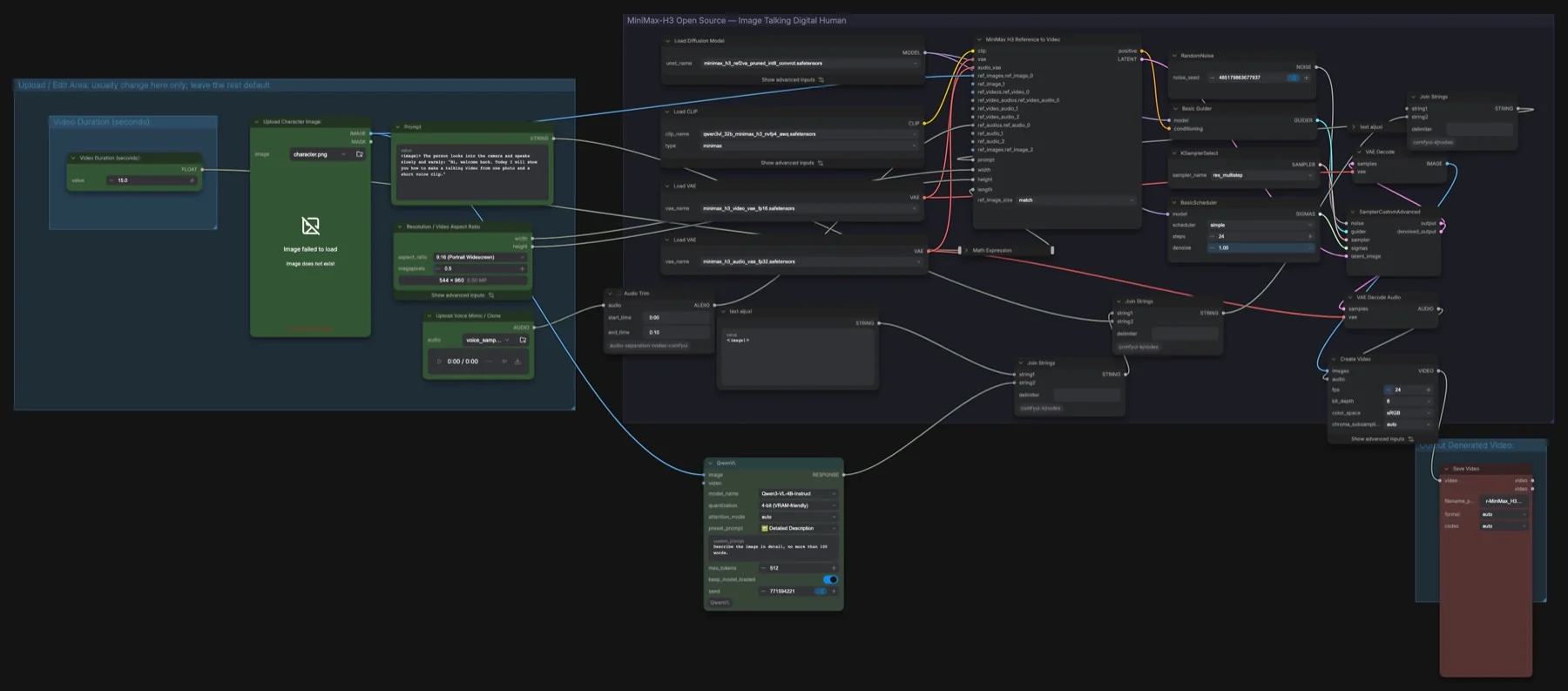
Short answer: this is our own MiniMax H3 build. You give it one photo and a short voice recording, and it makes a portrait video of that person speaking your script, using the reference-to-video (ref2va) model. A QwenVL node describes the photo and adds that text to your prompt. It samples 24 steps with res_multistep, at 9:16, 544 × 960, 24 fps, for 15 seconds. The MiniMax H3 files total about 42.5 GB, and you need three custom node packs. The licence is the MiniMax H3 Community License Agreement, which has conditions.
Output example
This workflow was run on a PC with an RTX 3090. We downloaded the saved output and inspected sampled video frames. It is one prompt and seed, not a general quality benchmark.
The saved video contains audio, and automated transcription matches the requested script. Sound quality, voice fidelity and precise lip synchronization have not been verified by listening.
Input references
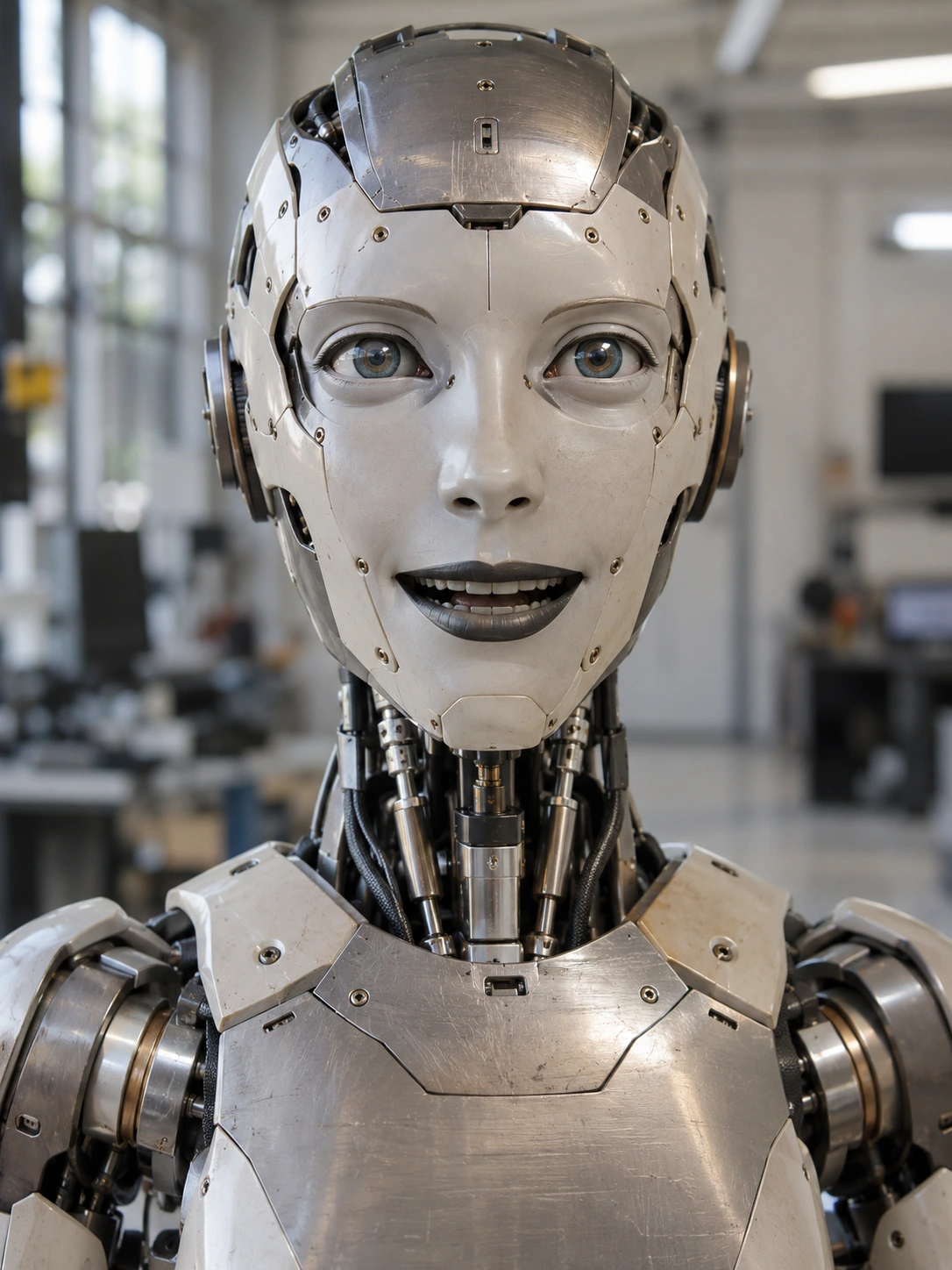
Photo by Cromwell Ken on Pexels · Pexels licence. Cropped to 9:16 and resized to 720 × 1280 without facial retouching. This is an AI-generated demonstration; the stock model did not record this dialogue and is not presented as endorsing Synthetic Labs.
eSpeak NG synthetic en-gb voice · Source licence. Synthesized locally at rate 145, pitch 48; no recording or voice clone of the photographed person was used.
Prompt used for this example
<image1> A photorealistic adult man with natural facial detail, short graying hair and a gray beard faces the camera. Preserve his facial proportions, skin texture, beige polo shirt with orange collar and softly blurred outdoor background. He blinks naturally, makes small relaxed head movements, and speaks clearly: "Hello, welcome to Synthetic Labs. This example turns a portrait and a synthetic voice into a talking video. Watch the face as the speaker talks naturally to the camera." Use <audio1> as the synthetic speaking voice reference. Static camera, one continuous shot, realistic human articulation. No music, no captions or subtitles. No robot, illustration, animation style or plastic skin.Observed limits: One fixture does not exercise optional inputs or establish general reliability. Audio stream presence does not establish speech accuracy, sound quality or lip sync.
Only use a face and a voice when you have consent from the person they belong to, and follow the licence's use rules.
Download and load the workflow
Drag the downloaded JSON file onto the ComfyUI canvas to load it.
Install the model files and any custom nodes listed below. If the workflow uses input images, video or audio, select your own files in the input nodes before running it.
Which files go where
| Part | File | Size | Folder |
|---|---|---|---|
| Diffusion model | minimax_h3_ref2va_pruned_int8_convrot.safetensors | 20.97 GB | models/diffusion_models |
| Text encoder | qwen3vl_32b_minimax_h3_nvfp4_awq.safetensors | 15.69 GB | models/text_encoders |
| Video VAE | minimax_h3_video_vae_fp16.safetensors | 5.21 GB | models/vae |
| Audio VAE | minimax_h3_audio_vae_fp32.safetensors | 0.61 GB | models/vae |
Total: about 42.5 GB from Comfy-Org/MiniMax-H3, which is not gated. The QwenVL node uses its own small vision model (Qwen3-VL-4B-Instruct), which the ComfyUI-QwenVL pack handles; it is not in this table.
Custom node packs: open ComfyUI Manager, choose Custom Nodes Manager, and install ComfyUI-QwenVL, audio-separation-nodes-comfyui and comfyui-kjnodes. Restart ComfyUI afterwards.
Settings in this workflow
| Setting | Value |
|---|---|
| Sampler / scheduler | res_multistep / simple, 24 steps, denoise 1.00 |
| Guider | Basic Guider (no CFG value) |
| Resolution | 9:16 at 0.5 megapixels, multiple of 32 (544 × 960) |
| Duration | 15 seconds (362 frames), 24 fps |
| Audio Trim | 0:00 to 0:10 |
| ref_image_size | match |
| QwenVL | Qwen3-VL-4B-Instruct, 4-bit, Detailed Description preset, "no more than 100 words", 512 tokens, model kept loaded |
| Seed | Randomised after each run |
How to use it
- In Upload Character Image, load the photo.
- In Upload Voice Mimic / Clone, load the voice recording.
- In Prompt, write what the person does and the exact words in quotes. The sample:
<image1>The person looks into the camera and speaks slowly and warmly: "Hi, welcome back…" - Set Video Duration (seconds) and the aspect ratio.
- Run. The video is saved with the generated speech.
Getting the voice and timing right
- Match the lengths. Audio Trim keeps the first 10 seconds of the voice clip, but the video is 15 seconds. Change the trim's end time or the duration so they suit your script.
- Keep the script short enough. The words in quotes have to fit in the duration you set.
- Tags. This build uses
<image1>and<audio1>. The notes in the Reference to Video template use<Picture 1>and<Audio 1>, and say exact tags work best. If the face or voice is ignored, try that format. - No captions. One fixed text node already asks for an unchanged background and no subtitles. Leave it in place.
Licence
The Comfy-Org/MiniMax-H3 repository lists the MiniMax H3 Community License Agreement. It has conditions: read it before commercial use, and check its rules on people and likeness. See our licence tracker.
Troubleshooting
| Problem | Likely cause | Fix |
|---|---|---|
| QwenVL, Audio Trim or Join Strings shows red | A custom node pack is missing | Install ComfyUI-QwenVL, audio-separation-nodes-comfyui and comfyui-kjnodes, then restart. |
| Load Image shows "Image failed to load" | The placeholder photo is not on your machine | Load your own photo. |
| Speech stops before the video ends | The voice clip is trimmed to 10 seconds | Raise the Audio Trim end time or shorten the duration. |
| Out-of-memory error | QwenVL stays loaded next to MiniMax H3 | Turn off keep_model_loaded in QwenVL, or lower the megapixels. |
Where to go next
- The template behind this build: MiniMax H3 reference to video.
- Swap a head in a still image: Qwen-Image 2.1 head swap.
- Another reference model: Pika H3 Flex reference to video.
FAQ
Is this an official ComfyUI template?
No. It is our build on MiniMax H3: Reference to Video, with a voice reference, an audio trim and a QwenVL photo description.
Can I use anyone's photo and voice?
No. You need consent from the person whose face and voice you use, and you must follow the licence's use rules.
What does the QwenVL node add?
It writes a short description of the photo, up to about 100 words, and joins it to your prompt, so the model gets more detail about the person and the setting.
Sources
- Comfy-Org/MiniMax-H3: model files, sizes and licence
- MiniMax H3 announcement: joint voice, sound and video generation
- ComfyUI pull request #15224: MiniMax H3 support in ComfyUI